Category: Uncategorized

  • Why Restaurant Portion Size Photos Matter

    Why Restaurant Portion Size Photos Matter

    A menu says “three tacos,” but that could mean a filling dinner, a light snack, or three tiny bites that leave you ordering fries afterward. That gap between a description and the plate is exactly why restaurant portion size photos matter. Diners should not have to guess whether a $19 entrée will satisfy their appetite, fit their dietary needs, or feel worth the price.

    Food photos are often treated as marketing. They are much more useful when they answer practical questions before someone spends money: How much food is there? What does the side dish look like? Is the bowl mostly rice, greens, or protein? Is that “shareable” appetizer genuinely big enough for two people?

    Clear, authentic images make dining feel less like a gamble. They give people more confidence to try new restaurants, choose meals that work for them, and skip the disappointment of an order that looked nothing like they expected.

    Restaurant Portion Size Photos Turn Guesswork Into Choice

    Text-only menus carry a surprising amount of uncertainty. Words such as “generous,” “large,” “mini,” and “family-style” are subjective. One restaurant’s hearty serving may be another restaurant’s starter. Even ounces do not always help a diner picture a meal, especially when they are comparing unfamiliar dishes on a small phone screen.

    A real photo adds context that numbers and descriptions cannot provide on their own. It shows the relationship between the entrée and its sides, the depth of a bowl, the thickness of a sandwich, and whether a dessert is a single bite or something best shared. When images come from real diners rather than a styled studio shoot, they can also show how a dish actually arrives at the table.

    That information helps people make choices that feel intentional. Someone who wants leftovers can spot a larger serving. Someone looking for a lighter lunch can avoid accidentally ordering a plate built for a bigger appetite. A group can judge whether an appetizer is worth splitting. The decision is still personal, but it is based on something visible rather than vague menu language.

    Portion size affects value, not just appetite

    Price alone does not tell diners whether a dish offers good value. A $16 pasta bowl may be a great deal if it is filling, made with quality ingredients, and likely to provide lunch tomorrow. The same price can feel frustrating if the portion is smaller than expected or if the dish arrives with a side that was not clearly described.

    Restaurant portion size photos give diners a better way to evaluate that value before checkout. This is especially helpful with delivery, where it is harder to ask a server a follow-up question and harder to fix a disappointing choice once the bag arrives.

    Photos also reduce food waste. Ordering too much because a menu made a portion sound small can lead to untouched leftovers. Ordering too little can mean placing a second order, buying extra snacks, or feeling unsatisfied after paying for a meal. Better visual information supports better-fit orders.

    What Makes a Portion Photo Actually Useful?

    Not every food image helps. A dramatic close-up of melting cheese may look great, but it does not always reveal scale. The most useful photos balance appetizing detail with an honest view of the full dish.

    A strong portion photo usually shows the complete plate, bowl, box, or tray. A visible fork, cup, napkin, or hand can provide natural scale without turning the image into a measurement chart. Multiple angles can help when a dish is stacked, deep, or served in a container that hides its volume.

    Lighting matters, but accuracy matters more. Heavy filters, extreme cropping, and promotional styling can make a dish look different from what diners receive. A photo does not need to be professionally staged to be valuable. It needs to be clear, current, and representative of a real order.

    Context is useful, too. If a photo shows a burger next to fries, diners can see whether the fries are included and how substantial the full meal looks. If a salad comes in a deep bowl, an overhead shot can reveal whether it is packed with ingredients or mostly leafy greens. If a menu item changes with a lunch special, seasonal ingredient, or new packaging, newer photos should take priority.

    No image can promise an identical plate every time. Portions can vary slightly by location, kitchen staff, ingredient availability, and whether an order is dine-in, takeout, or delivery. That is not a reason to avoid photos. It is a reason to treat them as practical guidance, not a guarantee measured to the last french fry.

    Better Food Images Support More Accessible Dining

    For many diners, menu decisions take more energy than restaurants realize. Long lists of unfamiliar dishes, unclear descriptions, and pressure to decide quickly can create real decision fatigue. Seeing a meal makes comparison faster and more concrete. A diner can move from “What does this mean?” to “That looks like the kind of meal I want.”

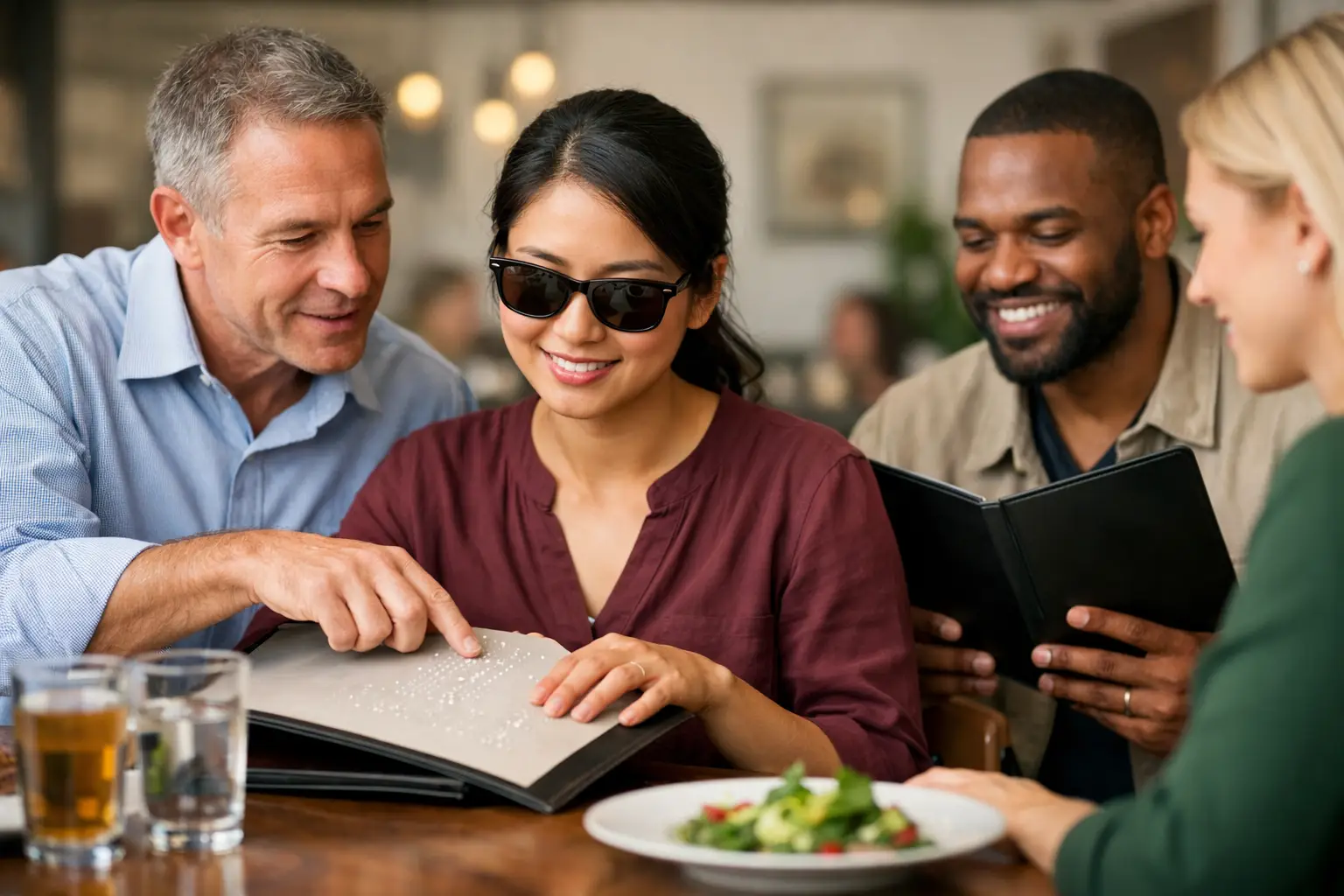
    Visual menus can also support people with different access needs, including diners with low vision who may use magnification or benefit from high-contrast, well-organized imagery. Still, photos alone are not a complete accessibility solution. Images should be paired with useful text descriptions, readable labels, and layouts that work with screen readers and keyboard navigation. A photo without context can exclude just as easily as a text-only menu can.

    The goal is not to replace menu descriptions. It is to give diners more than one way to understand what they are ordering. Ingredient details, allergen information, prices, and written descriptions remain essential. Photos add the missing visual layer.

    That layer can be especially empowering for people trying a cuisine they have not ordered before. A name on a menu may not explain whether a dish is soupy, crispy, spicy-looking, wrapped, grilled, or served over rice. Seeing it can lower the barrier to trying something new.

    Authentic Photos Build More Trust Than Perfect Ones

    Restaurant marketing photography has a role, but diners increasingly look for proof from real experiences. They want to know what the food looked like after it traveled across town, what a standard portion looked like on a busy Friday night, and whether the meal matched the menu’s promise.

    Community-contributed photos can fill that gap when they are organized carefully. A useful library should connect images to the correct restaurant location and menu item, make dates visible when possible, and leave room for several diners’ perspectives. One photo may show a dish plated in the restaurant. Another may show its takeout container. Together, they create a more realistic picture.

    This community approach also expands coverage beyond the most photogenic dishes. The meal someone is most curious about may be the kids’ entrée, the side of mac and cheese, the vegetarian bowl, or the dessert with an unclear serving size. Every accurate contribution can help the next person order with more confidence.

    That is the idea behind Pic-ture That!™: helping people see real restaurant meals before ordering while inviting diners to contribute photos that make the experience clearer for everyone. When people share what actually arrived, they help build a more transparent dining culture – and can earn rewards for doing it.

    How Diners Can Read Portion Photos Wisely

    A smart visual decision starts with looking at the whole frame. Notice the plate or container, the number of pieces, the sides, and any familiar object that gives scale. Then compare more than one photo when possible. If three recent images show a similar serving, that is more helpful than relying on one perfectly angled shot.

    It also helps to match the photo to your ordering situation. A dish that looks substantial at a table may arrive differently for delivery. A combo meal may be photographed with add-ons that are not included. If the image and menu description conflict, read the item details closely and treat the text as the final word on what is included.

    Most of all, use photos to ask better questions of your own appetite and priorities. Do you want comfort food with leftovers? A quick meal that will not slow down your afternoon? Something easy to share? The best order is not always the biggest one. It is the one you can see clearly enough to choose for yourself.

    The next time a menu leaves you wondering what will actually show up, look for the real plate, not just the polished promise. A clearer picture can make a small decision feel a lot more satisfying.
  • Upload Meal Photos Rewards That Make Dining Clearer

    Upload Meal Photos Rewards That Make Dining Clearer

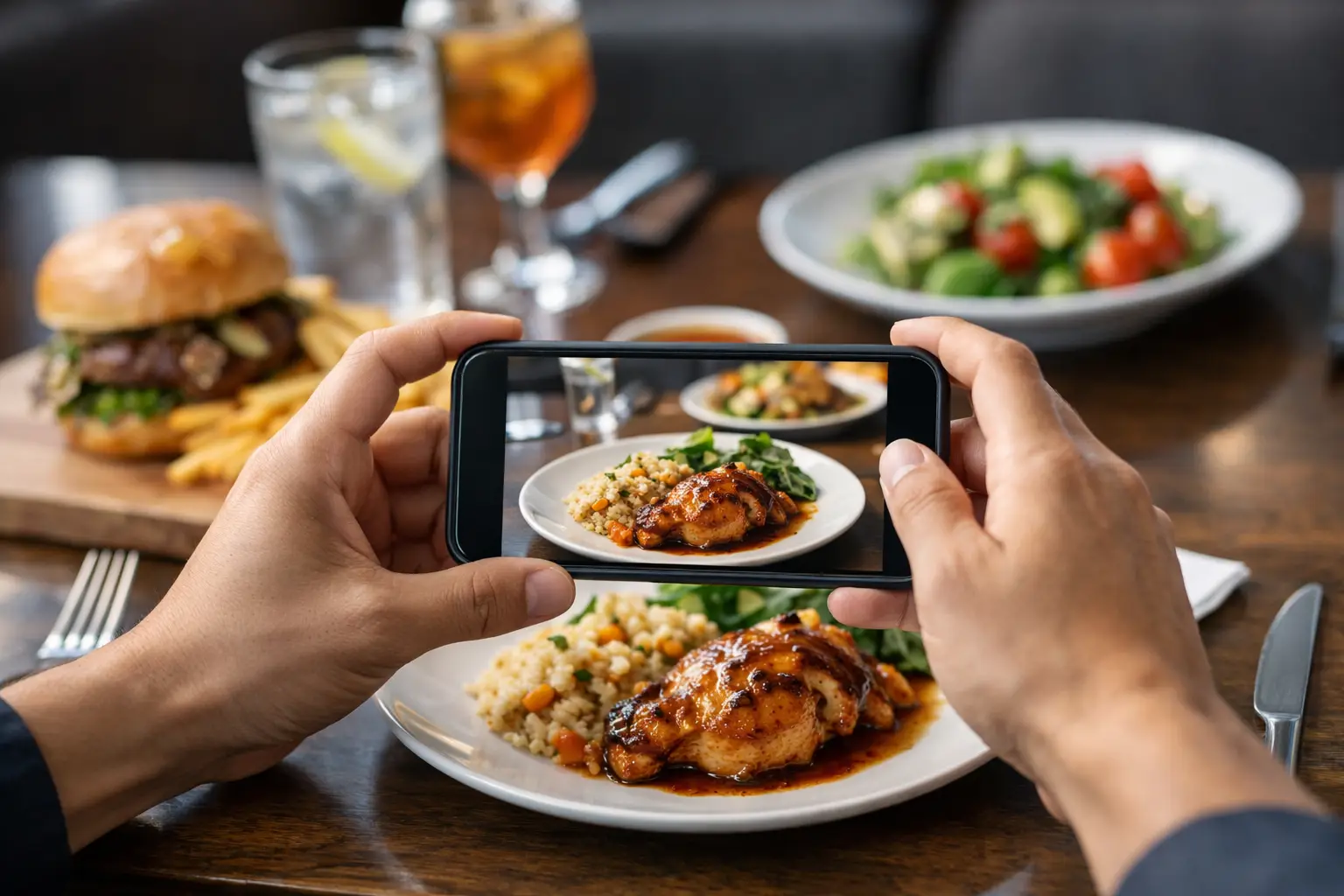
    A menu says “crispy,” “loaded,” or “chef’s special.” But what does that actually look like when it reaches the table? Upload meal photos rewards give diners a practical reason to help answer that question for the next person – while earning toward restaurant gift cards for their contributions.

    This is bigger than sharing a food pic. A clear, honest photo can help someone avoid spending money on a meal that is smaller, spicier, messier, or simply different than expected. It can also make restaurant discovery more accessible for people who rely on visual information or feel drained by long, text-heavy menus.

    Why upload meal photos rewards matter

    Restaurant menus are often built around descriptions, not certainty. “House pasta” could be a generous bowl with a creamy sauce, a small plate with a delicate garnish, or something in between. For a diner choosing carefully because of budget, dietary preferences, sensory needs, or decision fatigue, that gap matters.

    Real meal photos add context that words alone cannot provide. They show portion size, plating, ingredients, toppings, side dishes, and the general character of a meal. One image will not answer every question, but it can make a decision feel far less like a gamble.

    When community members upload photos, they help create a more transparent dining experience. Rewards recognize that contribution. Instead of restaurants and diners relying only on polished promotional images, a community-powered library can reflect what people actually receive.

    That is especially meaningful when photos are accurate and attached to the correct restaurant and menu item. A beautiful image of the wrong dish is not helpful. A clear photo of the actual dish, even if it was taken at a busy table, can be far more valuable.

    How photo contributions help real diners

    The best food photos do not need to look like an ad campaign. They need to make the meal easier to understand. A useful photo gives someone a clearer view before they order, whether they are trying a new neighborhood spot, choosing takeout after a long day, or coordinating a group meal.

    For people with visual impairments, visual information can still be part of a broader accessible experience when it is paired with clear labels and thoughtful platform design. For others, including diners with decision fatigue, food anxiety, or limited time, photos reduce the mental work of decoding unfamiliar menu language.

    Photos also make it easier to spot details that can be missed in a description. Is the salad mostly greens or mostly grains? Does the sandwich come with fries? Is the “spicy” ramen topped with visible chili oil? Does the dessert look shareable? These are everyday questions, and they shape whether a meal feels worth ordering.

    At Pic-ture That!™, the goal is not to judge a restaurant by one snapshot. It is to give people more of the information they need to choose with confidence. Every useful upload can help build a menu experience that feels more honest, inclusive, and human.

    What makes a meal photo worth uploading?

    A rewarding photo contribution starts with usefulness. Before uploading, take a quick look at whether the dish is visible, recognizable, and close to how it was served. You do not need perfect lighting, a styled table, or a professional camera.

    A strong photo usually shows the full meal from a helpful angle. If the dish has multiple components, try to include them. Make sure the image is not too dark, blurry, or blocked by hands, utensils, or packaging. If you ordered a burger with fries, show the burger and fries. If a bowl has a surprise topping or a sauce on the side, include that detail if possible.

    Accuracy matters just as much as image quality. Select the right restaurant, match the exact menu item, and use the current dish name when you can. If a restaurant has multiple locations, double-check the location before submitting. That small extra step helps prevent confusion and makes the photo more valuable to nearby diners.

    Authenticity matters, too. Upload what you received. Avoid heavy filters that change the food’s color or make portions appear different from real life. A little natural table lighting is fine. Misleading edits are not. The point is clarity, not perfection.

    Earning rewards without turning dinner into a chore

    The appeal of uploading meal photos is simple: you are already at the restaurant, you already ordered the food, and a quick contribution may help someone else make a better choice. Restaurant gift card rewards add a tangible thank-you for taking part.

    Still, the best reward programs need clear rules. Eligibility may depend on factors such as photo quality, correct dish matching, whether the item already has enough coverage, campaign availability, account status, and review requirements. In a beta-stage community, reward details can evolve as the platform learns what creates the most useful menu library.

    That is a good thing when it leads to a fairer experience. The focus should be on rewarding meaningful contributions, not encouraging people to flood the app with duplicate, unclear, or unrelated images. A smaller collection of reliable meal photos is more helpful than a huge collection nobody can trust.

    Think of it as a quick post-meal habit. Before clearing the table, take a photo that would have helped you order. Then upload it with the correct dish information. If the contribution meets the program’s guidelines, it can move you closer to available rewards while making the menu clearer for someone else.

    A few simple habits for better uploads

    The most helpful contributors tend to follow a few easy practices. First, photograph the food soon after it arrives, before it has been shared, rearranged, or packed up. Second, keep the dish centered and use enough light for details to show. Third, confirm the restaurant and menu item before you hit submit.

    It also helps to upload dishes that have little or no visual coverage. If you notice that a new seasonal item, vegetarian entrée, kids’ meal, or dessert has no photo, your image may fill a real information gap. Those less-photographed options can be exactly what another diner is searching for.

    Respect the people around you, too. Focus the camera on your food, not other guests or restaurant staff. Avoid capturing faces without permission, and do not let a photo slow down your meal or disrupt the dining room. The contribution should feel easy, considerate, and fun.

    Better photos create better restaurant choices

    There is a trade-off with any user-generated content. A photo represents one order on one day, not a permanent promise that every plate will look identical. Portions, presentation, ingredients, and availability can change. Diners should use photos as valuable context, alongside menu descriptions and their own needs.

    But that does not make visual menu information less useful. It makes honest, varied contributions more useful. Several real photos can show a more realistic picture of a dish than one highly styled image ever could. They show the food in the setting where people actually make decisions: at the table, on a lunch break, during a takeout order, or while trying to pick something everyone will enjoy.

    Upload meal photos rewards create a shared exchange. Contributors receive recognition and opportunities to earn. Future diners get clearer information. Restaurants gain a fuller visual presence built around the food people are genuinely ordering.

    The next time a plate arrives and you think, “I wish I had seen this before ordering,” take the photo that helps the next diner say, “Now I know what to choose.”

  • 8 Best Reward Apps for Foodies Who Want More

    8 Best Reward Apps for Foodies Who Want More

    A restaurant reward should feel like a win, not homework. If you are already trying to decide whether the spicy ramen is actually creamy, whether the salad is filling, or whether a new takeout spot is worth the price, you should not need five extra steps to get something back.

    The best reward apps for foodies do more than hand out occasional coupons. They help you spend with more confidence, save on meals you already want, reduce food waste, or turn your dining knowledge into something valuable for others. The right mix depends on how you eat, where you live, and whether your biggest goal is cash back, free food, better restaurant choices, or all three.

    What makes a food reward app worth your time?

    A useful food app has a clear exchange: you buy, dine, share, or contribute, and you receive a benefit that is easy to understand. That benefit may be points, cash back, a discounted surprise bag, a restaurant gift card, or simply better information before you spend money.

    Foodies should also look beyond the biggest advertised offer. A 20% reward at a restaurant you would never choose is less valuable than a smaller reward on your regular coffee, grocery run, or favorite neighborhood dinner. Check whether an app works in your area, whether offers need to be activated before purchase, and how difficult it is to redeem what you earn.

    Accessibility matters here, too. Text-heavy menus can create real barriers for diners with visual impairments and can overwhelm anyone dealing with decision fatigue. Apps that make food choices clearer, rather than adding more friction, deserve a place on your phone.

    8 best reward apps for foodies

    1. Pic-ture That!™ for food photos that help everyone choose

    Pic-ture That!™ takes a different approach to rewards. Rather than asking you to spend more, it invites diners to contribute authentic photos of restaurant dishes to help build a more transparent visual menu experience. Contributors can earn restaurant gift cards while helping other people see what they may be ordering before they order it.

    That community benefit is the point. A clear photo can help a person with a visual impairment, a picky eater, someone managing decision fatigue, or anyone who has been burned by a vague menu description. If you already take a quick meal photo before the first bite, this is a rewarding way to make that habit useful.

    2. Fetch for simple receipt rewards

    Fetch is a strong fit for people who want a low-effort way to earn points from grocery receipts. You scan a receipt after shopping, build points, and redeem them for gift cards. Its value is usually strongest when your cart includes participating brands or when bonus offers line up with products you already buy.

    The trade-off is that the biggest point totals often come from brand-specific promotions. Do not let an offer steer your cart toward snacks or drinks you did not plan to purchase. Used casually, Fetch can turn ordinary grocery receipts into an occasional dinner-out fund.

    3. Ibotta for planned grocery savings

    Ibotta is best for the shopper who is willing to plan before heading to the store. You browse and add offers, shop at eligible retailers, then submit proof of purchase or connect a supported loyalty account. Cash back can add up quickly when you match deals to staples your household already uses.

    For food lovers, Ibotta can be especially helpful when testing new ingredients, stocking up for a dinner party, or buying packaged products at a good price. It takes more attention than a basic receipt scanner, so it is not ideal for everyone. But for intentional grocery shoppers, the extra minute can be worth it.

    4. Upside for cash back on everyday stops

    Upside is known for cash-back offers at eligible gas stations, convenience stores, and some restaurants. Availability varies widely by location, which means it is most useful when it naturally fits your regular route. Check nearby offers before filling up the tank or grabbing a drink and snack on the way home.

    This is not a food discovery app, and it will not help you choose a great dinner. Its role is more practical: reclaim a little money from purchases that are already part of your week. If your local map includes restaurants you genuinely enjoy, that is a welcome bonus.

    5. Too Good To Go for affordable food with a purpose

    Too Good To Go centers on surplus food. Participating bakeries, restaurants, cafes, and stores sell surprise bags of food at reduced prices near closing time rather than letting usable items go to waste. The reward is immediate: you pay less and help reduce food waste.

    The surprise factor is both the fun and the limitation. You may get an excellent assortment of pastries or prepared food, but you usually cannot control every item. It works best for flexible eaters who enjoy trying what is available and can pick up within a set time window.

    6. Seated for dining out in participating cities

    Seated offers rewards for booking and dining at participating restaurants, often with points or gift-card-style rewards after a completed visit. For frequent diners in markets where it has strong restaurant coverage, it can make date nights, group dinners, and special occasions feel more rewarding.

    Coverage is the deciding factor. Before relying on it, see whether the restaurants near you match your actual taste and budget. It is far more useful when it helps you discover places you would happily visit anyway, not when it turns dinner plans into a search for the highest offer.

    7. OpenTable for reservation-based dining rewards

    OpenTable can reward diners for completed reservations at participating restaurants. It is especially handy for people who already use reservations to avoid long waits or organize meals with friends. The points are a nice extra on top of a tool that solves a real planning problem.

    Still, reservations are not how everyone eats. Quick counter-service lunches, delivery nights, and spontaneous neighborhood meals may not qualify. Think of OpenTable as a dining-out layer in your reward strategy, not the only app you need.

    8. Your favorite restaurant’s own app

    Restaurant-specific apps are easy to overlook, but they can be the most dependable option if you have a regular order. Coffee shops, fast-casual chains, pizza spots, and local restaurants may offer points, birthday treats, order-ahead perks, or members-only promotions. The rewards are often modest, but they are tied to places you already visit.

    The key is restraint. Keep apps for the two or three restaurants you truly return to, then turn off promotional notifications that tempt you into unnecessary spending. A reward should support your routine, not create a new one.

    Build a reward mix that matches how you eat

    You do not need all eight apps. Most diners will get better results from choosing one app for grocery receipts, one for restaurant visits or food savings, and one that improves confidence before ordering. That approach keeps the effort manageable while covering the moments where food spending adds up.

    If you cook often, pair a grocery-focused option like Fetch or Ibotta with a surplus-food app for flexible treats. If you dine out regularly, a reservation app and one or two favorite restaurant loyalty programs may make more sense. If choosing from a menu is the hardest part, prioritize tools that provide clearer, more useful information about the food itself.

    Before you download anything, ask one simple question: would I still use this app if the reward were smaller? If the answer is yes, it is probably helping you eat better, spend more intentionally, and make choices that feel like your own. That is the kind of reward worth keeping.

  • Examples of Transparent Restaurant Menus

    Examples of Transparent Restaurant Menus

    A menu can call something a “loaded” burger, a “generous” pasta, or a “house favorite” – and still leave diners guessing. The best examples of transparent restaurant menus replace that guesswork with useful details people can actually use before they spend money: what the dish looks like, what comes with it, how much it costs, and whether it fits their needs.

    Transparency is not about turning every menu into a wall of fine print. It is about giving diners a clearer, fairer view of what they are choosing. For someone managing an allergy, a tight budget, low vision, or plain old decision fatigue, that clarity can change the entire dining experience.

    What makes a restaurant menu transparent?

    A transparent menu makes the real ordering decision easier. It does not rely on vague language, tiny disclaimers, heavily edited food images, or surprise charges at checkout. Instead, it sets honest expectations before the order is placed.

    The strongest menus usually make several things clear at once: current price, portion or serving context, key ingredients, dietary information, preparation choices, and accurate visuals where possible. Not every restaurant needs the same level of detail. A coffee shop menu and a tasting-menu restaurant serve different decisions. But both can be upfront about what a guest will receive.

    That matters because text alone asks diners to fill in a lot of blanks. Is the salad a full meal or a small side? Does “spicy” mean a little heat or a dish that will overwhelm the table? Is the photo from the actual restaurant, or a stock image that bears little resemblance to the plate? A transparent menu answers more of those questions before disappointment has a chance to arrive.

    5 examples of transparent restaurant menus

    1. A menu that pairs dish names with real, current photos

    A clear food photo can communicate details that a description misses: plating, sauce level, visible ingredients, side dishes, portion scale, and texture. For many diners, seeing the actual meal is the quickest way to decide whether it is worth ordering.

    The key word is real. A transparent visual menu uses images of the dish customers are likely to receive, not a stylized ad concept that sets unrealistic expectations. Photos can vary slightly as seasonal ingredients and presentation change, so restaurants should refresh them when recipes or portions materially shift.

    Visual transparency has an accessibility dimension, too. Photos should be supported by readable dish names and useful descriptions rather than treated as a replacement for text. A photo-only menu can exclude diners who use screen readers or who need more context than an image provides. The goal is more ways to understand a dish, not a new barrier.

    2. A menu that shows the full price before checkout

    One of the simplest examples is also one of the most valuable: a menu that displays the actual price a diner can expect to pay. That includes clear upcharges for substitutions, premium add-ons, size changes, and service formats that affect the total.

    There is a difference between offering customization and hiding the cost of customization. If avocado adds $3, say so next to the option. If a base price applies only to a smaller serving, label the serving size clearly. If a mandatory service charge or packaging fee applies, it should appear before the customer reaches the final checkout screen.

    Taxes can be difficult to show as a precise total because they vary by location, but that is not a reason to hide other known fees. Transparent pricing respects diners’ budgets and reduces the frustration of a total that jumps at the last second.

    3. A menu that describes portions and what is included

    “Chicken tacos” can mean two tacos with chips, three tacos with rice and beans, or a single taco ordered individually. A transparent menu does not make customers decode the setup after their food arrives.

    Useful portion information can be brief. A restaurant might say “three tacos,” “served with rice and black beans,” “12-ounce bowl,” or “shareable for two.” This is especially helpful for side dishes, family meals, prix fixe offerings, tasting menus, and items with names that do not reveal their scale.

    Restaurants do not need to promise that every plate will weigh exactly the same. Food is prepared by people, and ingredient sizes vary. But diners deserve a realistic indication of whether they are ordering a snack, a full entree, or something designed for the table. That small detail helps reduce waste, over-ordering, and the familiar regret of paying entree prices for a portion that feels like an appetizer.

    4. A menu that names ingredients and dietary risks plainly

    A transparent menu goes beyond broad labels such as “vegetarian,” “gluten-friendly,” or “contains nuts.” It names the key ingredients that shape the dish and uses dietary language carefully.

    For example, “crispy cauliflower with tahini, pomegranate, parsley, and sesame” tells a diner far more than “Mediterranean cauliflower.” A notation such as “contains dairy and sesame” is more useful than an icon with no legend. When cross-contact is possible, restaurants should explain that clearly instead of implying a guarantee they cannot safely make.

    This is where nuance matters. A restaurant may be able to offer a gluten-free recipe but not a dedicated gluten-free kitchen. It may offer a plant-based dish that shares a fryer with animal products. Honest wording lets diners assess their own comfort level and make decisions that fit their health, ethics, and preferences.

    5. A menu that is honest about availability and substitutions

    Nothing deflates confidence faster than ordering a menu item that has been unavailable for hours. Transparent restaurants update sold-out dishes, seasonal changes, and limited-time offerings as close to real time as they can.

    They also explain substitutions before the plate reaches the table. If the menu says broccolini but the kitchen is serving green beans that evening, a quick note or confirmation gives diners a choice. The same is true for seafood market prices, rotating pastries, and chef’s specials. Variability is normal. Surprise is optional.

    For digital ordering, this should be built into the experience. An unavailable item should not remain selectable, and a substitution should never be silently applied when a customer has paid for something specific. A short confirmation protects trust better than a polished apology later.

    Transparency is more than a design trend

    Restaurants sometimes worry that too much detail will clutter the menu or slow down ordering. That can happen when information is poorly organized. The answer is not less transparency. It is better hierarchy.

    Lead with the dish name, price, a plain-language description, and an authentic image when available. Let diners tap or scan for ingredients, allergens, nutrition, sourcing notes, and customization details. In print, use a clean icon system with a visible key and train staff to answer follow-up questions consistently.

    The trade-off is real: maintaining accurate photos, prices, and allergy details takes effort. Yet inaccurate information costs something too. It can lead to returned plates, support requests, negative reviews, food waste, and diners who decide not to come back. Clear menus set a better expectation from the start.

    Why real dish photos belong in the conversation

    Food photography is often treated as decoration. For transparent restaurant menus, it is practical decision support. A real image can help a diner recognize unfamiliar ingredients, compare portion sizes, identify a sauce-heavy dish, or avoid ordering a texture they know they dislike.

    That is particularly meaningful for people with visual impairments when images are paired with strong text alternatives and accessible app design. It also matters for anyone whose brain gets tired after comparing ten nearly identical menu descriptions. Seeing the food can shorten the path from uncertainty to a confident choice.

    Community-powered photo libraries can help fill the gap when restaurants do not have images for every item. Pic-ture That!™ is built around that idea: helping diners see authentic meals before ordering while inviting contributors to make menus clearer for the next person. The standard should remain accuracy, not perfection. A well-lit phone photo of the real dish is often more useful than a flawless image of a meal nobody receives.

    A better question to ask before ordering

    Instead of asking whether a menu looks polished, ask whether it helps a real person make a confident choice. Can they tell what the meal is, what it costs, what comes with it, and whether it works for them? Can they access that information in the format they need?

    The next time you browse a restaurant menu, notice what is missing. Then choose the places that make room for clarity – and, when you can, share an accurate photo that helps another diner order with confidence.

  • How to Use Photo Menus to Order With More Confidence

    How to Use Photo Menus to Order With More Confidence

    A menu says “crispy chicken sandwich.” But is it a thick, messy stack with a crunchy coating, or a small patty on a bun? That gap between description and reality is exactly why learning how to use photo menus can change the way you order. Seeing a real dish before you spend money gives you clearer expectations, faster decisions, and a better chance of loving what arrives at your table or door.

    Photo menus are not just for foodies who want a more attractive lunch. They are a practical tool for anyone who has ever felt stuck between unfamiliar menu descriptions, worried about portion size, or disappointed by an order that looked nothing like they expected. For diners with visual impairments, decision fatigue, dietary concerns, or limited time, images can make restaurant ordering feel more accessible and less stressful.

    Why photo menus make ordering easier

    Text-only menus ask you to do a lot of guesswork. You have to picture the ingredients, estimate the serving size, interpret phrases like “house style,” and decide whether a dish is worth its price. A photo gives you another piece of useful information: what the restaurant is actually putting on the plate.

    That visual context can help you spot whether a salad is hearty or light, whether a pasta dish is sauce-heavy, whether a sandwich includes toppings you would want removed, or whether an appetizer is enough to share. It can also reveal details that menus often leave out, such as the cut of meat, the style of bread, the amount of garnish, or how sides are served.

    Photos are especially useful when you are trying a new restaurant, ordering from a cuisine you do not know well, or choosing for a group. Instead of each person interpreting the same short description differently, everyone can see the dish and talk about a shared reference point.

    How to use photo menus before you order

    Start by using photos to narrow your choices, not necessarily to make your final decision immediately. If a menu has dozens of items, scan the images for dishes that look appealing and fit the kind of meal you want. Then read the description carefully to confirm ingredients, preparation, and any customization options.

    A photo should work alongside the written menu, not replace it. Images can show that a bowl has roasted vegetables, for example, but the description may tell you whether it contains nuts, dairy, meat, or a sauce you need to avoid. If an allergen, dietary restriction, or medical need is involved, always verify directly with the restaurant. A picture can support a confident choice, but it cannot promise every ingredient or preparation detail.

    Once you have two or three likely options, compare them side by side. Look at the amount of food, the protein-to-side ratio, how the dish is plated, and whether it appears to match your appetite. A large-looking entree may be the better value when you are very hungry, while a smaller item may make more sense if you plan to add an appetizer or dessert.

    Look for real, useful details

    The most helpful photo menus feature authentic images of actual restaurant dishes. These photos do not need to look like a glossy advertisement to be valuable. In fact, a clear, honest photo often tells you more than a heavily styled promotional shot.

    Pay attention to a few details as you browse. Notice the portion size relative to the plate or takeout container. Check how ingredients are distributed, especially if you are hoping for extra vegetables, plenty of protein, or a generous amount of sauce. Look at texture too. A photo may show whether fries are seasoned, whether a pizza has a thin or thick crust, or whether a dessert is layered, dense, or light.

    Lighting and angle can affect what you see, so treat one photo as a helpful clue rather than a guarantee. Multiple photos of the same dish are even better because they show how food may vary across different visits, locations, or packaging formats.

    Use images to ask better questions

    Photo menus can also make it easier to communicate with a restaurant. Rather than asking a broad question like, “What is the chicken bowl like?” you can ask something specific: “Does it usually come with the sauce on top?” or “Can I get the vegetables shown in the photo without cheese?”

    Specific questions save time for both you and the staff. They can also help you avoid common ordering surprises, such as a sauce mixed into a dish, a side that cannot be substituted, or a sandwich that arrives much smaller than expected. If you are ordering delivery, check whether the photo reflects dine-in plating or the actual takeout presentation. Some dishes travel better than others, and that matters when you are paying for convenience.

    Make photo menus work for your access needs

    Access to visual information should not be treated as a bonus feature. It is part of making dining choices more equitable. For people who process information visually, photos can reduce the mental work of translating vague food descriptions into a decision. For people with low vision, images paired with clear labels, readable text, and helpful descriptions can create more options than a text-heavy menu alone.

    If you use a screen reader or have difficulty distinguishing visual details, look for platforms that provide descriptive context alongside images. A useful image description might identify the dish, major ingredients, portion style, and visible sides. “Chicken tacos” is a start; “three grilled chicken tacos on corn tortillas with diced onion, cilantro, lime, and rice” is far more actionable.

    Decision fatigue matters, too. Restaurants can present a wall of choices when you are hungry, rushed, or ordering for others. Photos let you make faster first-pass decisions based on what feels right, then use text to confirm the details. That is not a shortcut or a less thoughtful way to order. It is a practical way to make menus easier to navigate.

    Know what photos can and cannot tell you

    A good photo menu creates transparency, but it still has limits. It cannot tell you whether the food will be hot, whether a steak will be cooked exactly to your preference, or whether an ingredient has changed since the image was uploaded. Restaurants update recipes, switch suppliers, and adjust portions. Community photos may also reflect a past visit rather than today’s exact plate.

    Use the date of a photo, when available, as part of your judgment. Recent images are generally more useful, particularly for seasonal items, limited-time specials, and restaurants that change their menu often. If photos and written descriptions disagree, trust the restaurant’s current menu and ask before ordering.

    It also helps to separate personal preference from accuracy. A photo may accurately show a dish that simply is not for you. That is still a successful outcome. Knowing that a meal looks too spicy, too creamy, too small, or too heavily topped before you buy it can prevent wasted money and a frustrating dining experience.

    Help build a better photo menu community

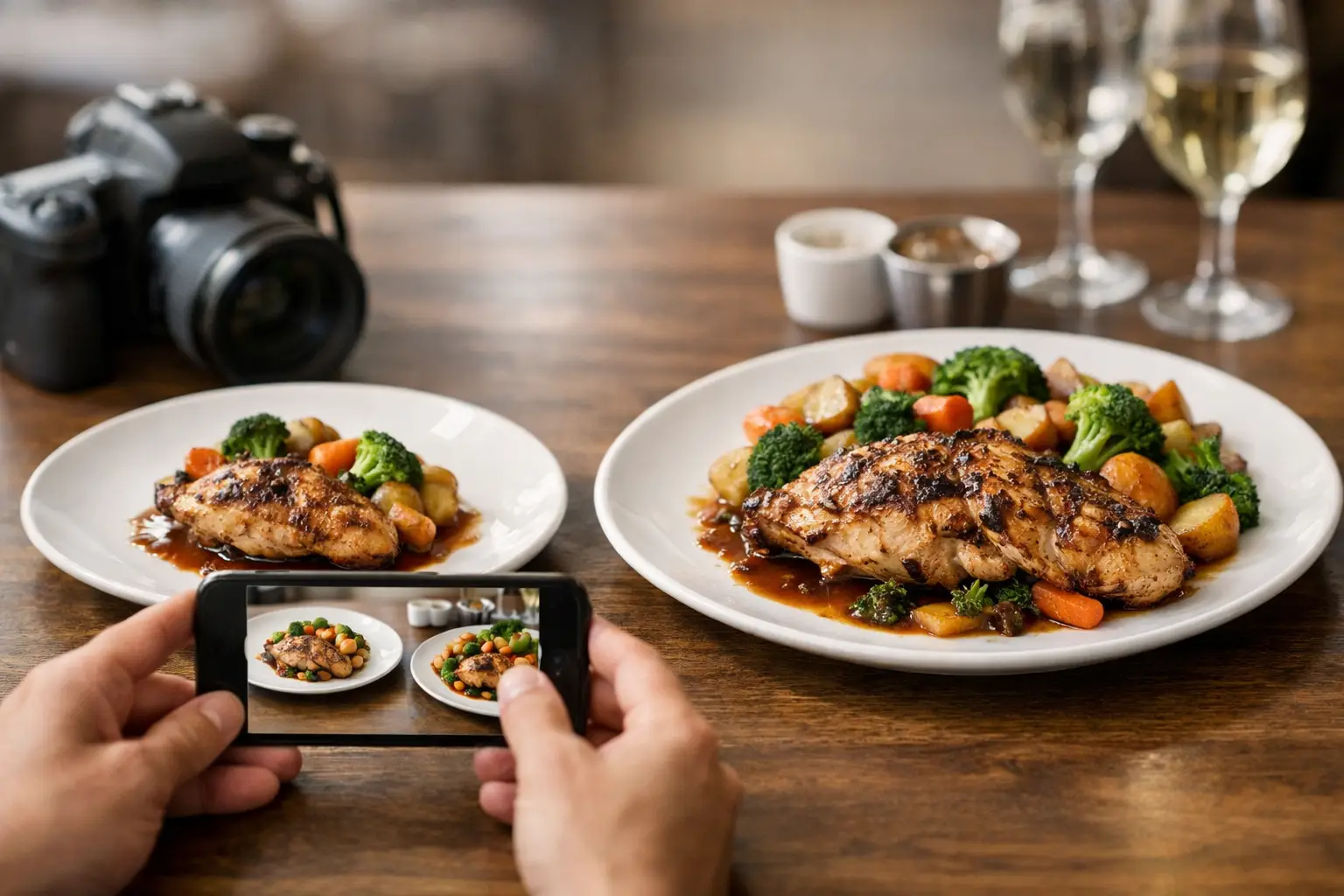
    Photo menus become more useful as more diners contribute clear, honest pictures. If you enjoyed a meal, taking a quick photo before you dig in can help the next person decide with more confidence. A useful contribution does not require professional equipment or perfect styling. Natural lighting, a clear view of the full dish, and an accurate dish name go a long way.

    Try to photograph what was actually served, including sides and toppings when possible. Avoid filters that dramatically change color or make portions look different from real life. If you made substitutions, mention that so other diners understand what they are seeing. A burrito bowl without sour cream is still valuable, but it should not be presented as the default version.

    Platforms such as Pic-ture That!™ turn those everyday food photos into a community resource, while giving contributors a chance to earn restaurant gift card rewards. Every accurate upload can help someone else skip the guesswork, whether they are choosing a birthday dinner, ordering lunch between meetings, or trying to manage decision fatigue after a long day.

    The next time a menu leaves you wondering, pause before you settle for a guess. Find the photo, check the details, and choose the dish that feels right for you. A clearer menu can make room for a better meal.

  • Restaurant Transparency Tools That Show the Meal

    Restaurant Transparency Tools That Show the Meal

    A menu can call something “crispy,” “loaded,” or “chef’s special” and still leave you guessing. How big is it? What does the sauce actually look like? Is that $18 bowl going to feel satisfying or disappointing? Restaurant transparency tools make those answers easier to find before your money leaves your wallet.

    For diners, this is not about making every restaurant experience overly complicated. It is about replacing unnecessary uncertainty with useful information. Real dish photos, clear pricing, accurate ingredient details, and accessible menu design help people make choices that fit their appetite, budget, dietary needs, and mood.

    Why restaurant transparency tools matter

    Text-only menus ask customers to fill in a lot of blanks. A description may tell you a sandwich comes with “house slaw” and “signature sauce,” but it rarely shows the portion, presentation, toppings, or how much sauce is actually involved. That gap can turn a simple lunch order into a gamble.

    The cost of guessing adds up. Diners waste money on meals that do not match expectations. People with allergies or dietary restrictions may have to ask multiple questions just to feel safe ordering. Anyone experiencing decision fatigue can get stuck comparing vague descriptions, especially when ordering for a group or through a delivery app with dozens of options.

    Photos and better menu information create a more honest starting point. They help diners set realistic expectations instead of ordering based on clever wording, stock photography, or a random review photo from years ago. That kind of clarity builds trust, and trust is good for customers and restaurants alike.

    What useful restaurant transparency looks like

    Transparency is more than placing one polished hero image beside a menu. A useful system gives diners information they can act on at the exact moment they are deciding what to order.

    Real photos of the actual dish

    Authentic food images are often the fastest way to understand a meal. They show whether a salad is a full entrée or a small side, whether a burrito is tightly wrapped or overloaded, and whether a dessert looks like a shareable plate or a two-bite finish.

    The key word is authentic. Highly styled promotional photography can be beautiful, but it may not reflect what arrives at the table or at your door. Community-contributed photos can add valuable context because they capture real orders, real portions, and the details diners care about. Multiple images are even better, since presentation can vary by location, season, or customization.

    That does not mean every photo needs to be perfect. A clear, well-lit image that honestly represents the dish is more helpful than an editorial shot that creates an unrealistic expectation.

    Clear ingredients and customization details

    A photo answers some questions, but not all of them. Diners still need plain-language ingredient information, especially for common allergens, spice levels, proteins, sauces, and sides. “Spicy aioli” may sound straightforward to one person and raise several questions for another.

    The strongest menus make substitutions and additions easy to understand before checkout. If removing cheese changes the dish, say so. If a sauce contains nuts, shellfish, dairy, or another major allergen, that information should be easy to locate. If an item can be made vegetarian, gluten-conscious, or mild, customers should not have to hunt for it.

    There is a trade-off here. Restaurants cannot promise a completely allergen-free kitchen unless they can truly support that claim. Transparency means being specific about what is known, what can be adjusted, and where cross-contact may be possible.

    Pricing that matches the final order

    Few things damage confidence faster than a menu price that changes dramatically at checkout. Base prices, add-on costs, service fees, delivery fees, and portion upgrades should be visible as early as possible. Diners can make a different choice when they have the full picture, but they cannot make an informed choice when key costs appear after they have committed to an item.

    This matters for budget-conscious diners, families, students, and anyone ordering for several people. Clarity around price is not a luxury feature. It is a basic part of treating customers fairly.

    Accessible information, not just visual information

    Food photos are powerful, but a transparent menu cannot rely on images alone. People with visual impairments may use screen readers, magnification, voice controls, or other assistive technology. Images need meaningful descriptions that explain what is shown, not generic labels such as “food photo.”

    For example, “three fried chicken tenders on a brioche bun with pickles, slaw, and fries” gives a diner practical context. It describes the meal’s components and portion in a way that supports independent decision-making.

    Accessible design also means readable text, strong color contrast, logical navigation, and menus that do not force users through confusing visual layouts. When restaurants build for accessibility from the start, more people can order with confidence. That is not a niche benefit. It is better service.

    How diners can use restaurant transparency tools

    Start with the photo, then check the details. A dish image can help you assess portion size, toppings, texture, and presentation. Follow that with ingredient information, customization options, and price details. Together, those pieces tell a much fuller story than a name and a one-line description.

    When you are choosing between similar dishes, compare the evidence rather than the adjectives. One restaurant may call two entrées “generous,” but customer photos can show which one includes more protein, a larger side, or enough food to share. If you are ordering for a group, this can prevent both over-ordering and the classic problem of not having enough food.

    Look for recent images when possible. A restaurant may update its menu, switch suppliers, or change portion sizes. Photos from the last few months usually offer a better snapshot than one from several years ago. Still, use common sense: one photo may be an outlier, while several images showing the same portion and plating pattern are more reliable.

    If there is a detail that matters for your health, ask the restaurant directly. Transparency tools reduce uncertainty, but they do not replace a conversation about severe allergies, medical diets, or ingredient changes. Think of them as a stronger first step, not a guarantee.

    Community photos make menus more honest

    Restaurants can publish great menu information, but diners add another layer of value by sharing what they actually received. A community photo library can capture the everyday reality of dining: the fully loaded fries, the smaller-than-expected smoothie, the dessert worth splitting, or the entrée that looks even better in person.

    That shared knowledge is especially helpful for dishes with names that do not explain much. “The Works,” “Sunday Special,” and “Market Bowl” may sound appealing, yet they tell a new customer almost nothing. A photo turns mystery into context.

    This is the idea behind Pic-ture That!™: helping people see real restaurant meals before ordering while inviting the community to contribute photos and earn rewards. When diners participate, they are not just posting food. They are helping someone else avoid a disappointing order and make a choice that feels right.

    Community content also has limits. Photos should be tied to the correct restaurant, menu item, and location whenever possible. They should not be edited in a way that misrepresents color, size, or ingredients. Quality checks and respectful contribution standards matter because trust is the whole point.

    What restaurants gain from being more transparent

    Some restaurants worry that showing real meals will expose inconsistency. If a dish varies dramatically from the menu image, that is useful feedback, not a reason to hide the evidence. Better visibility can reveal where portioning, packaging, plating, or menu descriptions need attention.

    Restaurants also benefit when guests arrive with clearer expectations. A diner who knows what they are ordering is less likely to be surprised, request a remake, leave a frustrated review, or feel that the price did not match the experience. Clear menus can reduce hesitation and help the right customers find the dishes they will genuinely enjoy.

    The approach does not need to be expensive or complicated. Start with accurate photos of best-selling items, update descriptions that rely too heavily on vague language, and make allergen and customization details easier to find. Then listen to what diners still ask. Their questions often point directly to the missing information.

    A better restaurant menu does not pressure people to order faster. It helps them order smarter. The next time you are deciding between a familiar favorite and an unfamiliar dish, look for the details that let you picture the meal clearly. A little more visibility can turn “I hope this is good” into “I know what I am choosing.”

  • Best Apps for Dish Discovery That Cut Guesswork

    Best Apps for Dish Discovery That Cut Guesswork

    A menu says “crispy,” “loaded,” or “chef’s special.” Then the plate arrives, and it is smaller, saucier, spicier, or simply different from what you pictured. That gap is why the best apps for dish discovery matter. They help you move beyond descriptions and make a choice based on what a meal actually looks like, how people experience it, and whether it fits what you want to eat.

    For diners, this is not just a nice extra. It can mean fewer disappointing orders, less money wasted on a meal you do not enjoy, and less stress when a menu has 40 unfamiliar choices. The right app gives you clearer information before you commit.

    Dish discovery is different from restaurant discovery

    Restaurant discovery answers, “Where should we eat?” Dish discovery answers the more immediate question: “What should I order here?” Both are useful, but they solve different problems.

    A restaurant can have excellent ratings and still leave you guessing about the dish in front of you. Is the ramen broth rich or light? Does the salad come with enough protein to be filling? Is the pasta a generous bowl or a small tasting portion? Text-only menus rarely answer those questions well.

    The strongest dish discovery experiences focus on the item, not just the venue. They connect menu names with current, recognizable photos and useful context from people who have actually ordered the food. That detail matters most when you are trying a new cuisine, ordering for a group, managing dietary preferences, or making a quick decision between meetings.

    What the best apps for dish discovery get right

    No single app is best for every diner or every meal. Some are built for delivery, some are better for finding a highly rated restaurant, and some are strongest when you want to see a specific dish before ordering. Still, the best options tend to share a few qualities.

    They show real food, not just polished marketing shots

    Professional restaurant photography can be beautiful, but it may not represent the dish you will receive on a busy Tuesday night. Community photos can offer a more honest look at portion size, plating, toppings, sides, and presentation.

    That does not mean every casual photo is helpful. Blurry, badly lit images can create more confusion than clarity. Look for platforms that prioritize clear photos and connect them to the correct restaurant and menu item. Accuracy is the difference between food inspiration and genuinely useful decision support.

    They make the menu easier to understand

    A good dish discovery app should not force you to decode vague menu language. It should help you compare similar items, recognize ingredients, and see what makes one option different from another.

    For example, a photo may reveal that two tacos have very different fillings, or that a “spicy” rice bowl is topped with a sauce you would rather avoid. Visual information works alongside menu descriptions. It gives diners another way to process the choice before placing an order.

    They respect the reality of changing menus

    Restaurants swap seasonal ingredients, revise portions, and change plating. An app with years-old photos may still be useful for inspiration, but it is less reliable for a purchase decision. Recent contributions, visible dates, and active community participation are good signs that dish coverage reflects what is being served now.

    There is a trade-off here. A newer platform may have fewer restaurants or fewer photos in your neighborhood, while a larger platform may have broader coverage but less dish-level detail. Check whether the app is useful for the places you actually order from, not just the places you hope to try someday.

    They support accessible, lower-stress choices

    Seeing a dish can reduce decision fatigue, especially when menus are long, unfamiliar, or packed with similar options. But images alone do not make an app accessible. The best experiences also consider readable text, descriptive image information, logical navigation, and a design that does not overwhelm users with clutter.

    For people with visual impairments, accessible labels and thoughtful screen-reader support are essential. For anyone who feels stuck choosing from a huge menu, clear dish organization and helpful visual context can make ordering feel more manageable. Dining confidence should not depend on how easily someone can interpret a vague description.

    The app categories worth using

    Rather than treating every food app as interchangeable, choose based on the decision you need to make.

    Visual menu platforms

    These platforms are designed around seeing dishes before ordering. They are the best fit when the main question is whether a specific entree, appetizer, dessert, or drink looks worth your money. A visual menu library can be especially helpful for local takeout, new restaurants, and meals where presentation or portion size matters.

    Pic-ture That!™ fits this category by centering authentic dish images and community contributions. Its approach treats food photos as a transparency and accessibility tool, not just a way to make scrolling more tempting. Users can help build menu coverage by sharing meal photos and earning rewards such as restaurant gift cards.

    Delivery apps

    Delivery apps are practical when you are ready to order and want to compare nearby options, fees, estimated arrival times, and menu availability in one place. Many include photos, but coverage can be uneven. One restaurant may have an image for every item, while another has only a few generic pictures.

    Use these apps for logistics, then take a closer look at the images associated with the exact item you want. Do not assume a featured photo represents every variation, size, or combination on the menu.

    Restaurant review apps

    Review apps are useful for checking the overall experience: service, atmosphere, wait times, and broad food quality. Their photo sections can also be valuable, particularly for popular dishes with lots of customer uploads.

    The limitation is organization. You may have to scroll through dozens of dining-room photos, cocktail shots, and unrelated meals to find the one dish you are considering. They work best as a second opinion rather than a dedicated visual menu.

    Social food communities

    Social platforms can be great for discovering trending dishes, local specialties, and cuisines you have not tried before. They are where a neighborhood bakery, a hidden noodle shop, or a wildly photogenic dessert often gets its first burst of attention.

    Still, social content is built for attention, not always accuracy. A viral post may feature a limited-time item, an influencer-only presentation, or a dish from another location. Treat it as inspiration, then verify the current menu and item details before ordering.

    Reservation and restaurant apps

    These are useful when you are planning a meal out and want to assess a restaurant before booking. They can help you narrow down cuisine, price range, location, and availability. For actual dish-level confidence, though, you may need more visual detail than a restaurant profile provides.

    A quick way to test an app before you rely on it

    Before making an app part of your ordering routine, try it with a restaurant you already know. Search for a dish you have ordered before and ask whether the app would have prepared you for what arrived.

    Look for four things: photos tied to specific menu items, images that appear current and realistic, enough detail to compare portions or ingredients, and navigation that feels usable when you are hungry and in a hurry. If you cannot find the exact dish without a long scavenger hunt, the app may be better for browsing than buying.

    It is also worth checking how the platform handles community content. Does it encourage helpful contributions? Are uploads connected to the right restaurant and dish? A photo library becomes more valuable when many diners add clear, accurate images over time.

    Better food choices start with better visibility

    Ordering food should not feel like a gamble based on clever menu wording. The best dish discovery apps give diners a clearer view of what is possible, while making room for different needs, tastes, and ways of making decisions.

    The next time a menu leaves you stuck between two unfamiliar dishes, look for the evidence that matters: a real image, useful context, and a choice that feels right for you. A more confident meal can start before the first bite.

  • Menu Accessibility Makes Dining More Equal

    Menu Accessibility Makes Dining More Equal

    A menu can turn a simple dinner into a high-stakes guess. You are hungry, watching your budget, managing an allergy, or trying not to choose another disappointing meal – and the description says only “market fish” or “chef’s special.” Menu accessibility is about removing that uncertainty so more people can decide what to order with confidence.

    For some diners, that means a screen reader can clearly announce every item and modifier. For others, it means plain-language descriptions, readable type, allergen details, or real photos that show what a dish actually looks like. The goal is not to make every menu identical. It is to make the information people need available, understandable, and useful before they spend their money.

    Why Menu Accessibility Is a Dining Equity Issue

    Restaurants often treat menus as branding tools first. The typography is stylish, the names are clever, and the descriptions are short enough to fit a small printed card or mobile screen. But when a diner cannot interpret that menu easily, the experience stops feeling welcoming.

    A person who is blind or has low vision may need a menu that works reliably with assistive technology. Someone with cognitive disabilities, ADHD, anxiety, or decision fatigue may need clearer categories and fewer vague phrases. A diner who is unfamiliar with a cuisine may need context beyond an ingredient list. And almost everyone has felt the frustration of ordering something that sounded great but arrived looking nothing like they expected.

    That is why accessibility is bigger than compliance. It is about dignity, independence, and being able to make an informed choice without having to flag down a server for every detail. Helpful staff matters, but no diner should have to depend on another person to access the same basic information available to everyone else.

    What an Accessible Menu Actually Includes

    There is no single feature that solves menu accessibility. A beautiful food photo alone is not enough, just as a text-only menu is not enough for every diner. Strong menus offer information in more than one useful format.

    Clear, specific descriptions

    “House pasta” may sound appealing, but it leaves major questions unanswered. Is it creamy or tomato-based? Does it include meat? Is the portion light or filling? Is it spicy? A better description gives diners a practical picture: the main ingredients, preparation style, flavor profile, and notable toppings.

    Plain language does not mean stripping away personality. A restaurant can still celebrate its story and cuisine while explaining what a dish is. If a traditional name may be unfamiliar to some guests, pair it with a concise explanation rather than forcing people to search online or guess at the table.

    Readable digital and printed design

    Small text, low contrast, busy backgrounds, and menus built entirely as image files create real barriers. On a phone, those barriers get worse. Diners may need to zoom repeatedly, rotate their device, or abandon the menu altogether.

    Readable menus use clear type, strong color contrast, logical headings, and enough spacing between items. Digital menus should be navigable by keyboard and compatible with screen readers. The text should be actual text, not a photograph of text trapped inside a PDF or graphic. These choices also help anyone ordering quickly between meetings, on a dim patio, or with a cracked phone screen.

    Reliable dietary information

    Allergens, dietary preferences, and ingredient questions deserve more than tiny icons that are hard to decode. Clear labels for common allergens, vegetarian and vegan options, spice level, and possible modifications help diners narrow choices without feeling like an inconvenience.

    There is a trade-off here: menus cannot promise a dish is safe for every medical need unless the restaurant can truly support that claim. Transparency is better than overpromising. A straightforward note about shared equipment or ingredients that may change is more useful than a vague symbol with no explanation.

    Authentic visuals with context

    Real dish photos can be a powerful accessibility tool because food is visual. A photo helps diners understand portion size, plating, texture, ingredients, and whether a dish is closer to what they want. It can reduce decision fatigue for someone faced with a long menu full of unfamiliar descriptions.

    But photos must be accurate. Over-styled advertising images, old photos, or pictures that show add-ons not included with the dish can create a new kind of confusion. The best visual menus use current, honest images and pair them with useful text. For blind and low-vision diners, photos also need meaningful alternative text that explains the dish, not empty labels such as “image 12.”

    Photos Help, but They Cannot Carry the Whole Menu

    Visual discovery makes ordering more confident, especially when diners can see meals as they are actually served. That is part of the mission behind Pic-ture That!™: helping people see real restaurant dishes before they order, while building a community-powered library of useful food photos.

    Still, menu accessibility should never assume every diner accesses information visually. A photo might show a vibrant bowl of noodles, but it cannot reliably tell someone whether it contains shellfish, whether the sauce is spicy, or whether a substitution is possible. It also cannot replace a well-written description for someone using a screen reader.

    The strongest experience combines both. A diner should be able to hear, read, or see a dish clearly, then choose the format that helps them decide. That is inclusive design in practice: not one “right” way to use a menu, but multiple paths to the same information.

    How Restaurants Can Make Meaningful Progress

    Menu improvements do not have to begin with a total redesign. Start with the points where diners are most likely to get stuck: confusing item names, inaccessible QR-code menus, missing allergen information, and visual expectations that do not match reality.

    First, review the menu on a phone without zooming. Can a person quickly find appetizers, entrées, prices, and dietary details? Then test it with a screen reader or ask someone who uses assistive technology to share candid feedback. Technical checks matter, but lived experience reveals friction that a checklist can miss.

    Next, improve descriptions one category at a time. Add the details that influence a purchase decision: protein, base, sauce, major ingredients, spice, and portion cues. If an item is seasonal or variable, say so. Clear wording builds trust because diners know what can change.

    Finally, build an honest photo process. Encourage guests or staff to contribute current images, verify that photos match the listed dish, and remove images when a recipe or presentation changes substantially. Community content can be incredibly valuable, but quality standards keep it useful. A blurry shot may still help show portion size; a misleading photo does not help anyone.

    The Business Case Is Human, Too

    Accessible menus can reduce hesitation at the moment of purchase. When people understand what they are ordering, they are more likely to try something new, feel good about the cost, and return to a restaurant that made them feel considered.

    They can also reduce repetitive questions for staff during busy service. That does not mean replacing hospitality with a screen. It means giving staff a clearer foundation so they can spend more time offering genuine recommendations and handling the questions that need a human answer.

    Most importantly, accessible menu design signals that a restaurant expects a wide range of people at its tables. That message is felt long before the first bite. It shows up in whether the menu can be read, understood, and trusted.

    The next time a dish catches your eye, ask a simple question: could someone else access enough information to feel just as confident choosing it? Every clear description, accurate photo, and thoughtful design choice brings that answer closer to yes.

  • Why Dish Photos Versus Menu Descriptions Matter

    Why Dish Photos Versus Menu Descriptions Matter

    A menu says “crispy chicken sandwich.” You picture a thick, golden cutlet with a soft bun, pickles, and sauce in every bite. What arrives is a thin patty, an oversized bun, and a drizzle of sauce you can barely taste. That gap is why dish photos versus menu descriptions is more than a restaurant marketing debate. It is about whether diners can make a confident choice before spending their money.

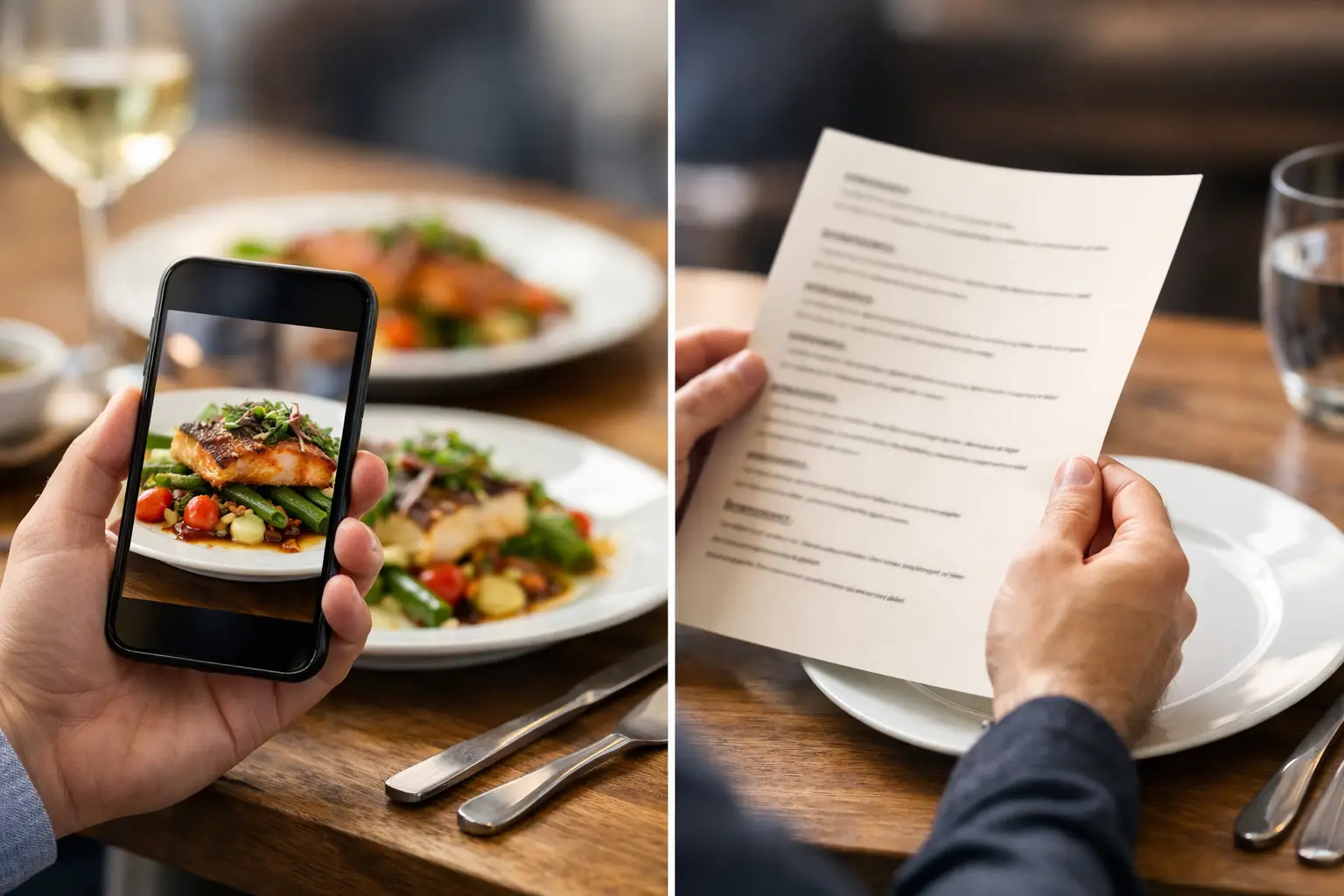
    Text can tell a story about a meal. A real photo can answer the questions that story leaves behind: How big is it? What is actually on the plate? Is the salad mostly greens or mostly toppings? Does the ramen look rich and hearty or light and brothy? For diners managing a budget, an allergy, a visual impairment, or plain old decision fatigue, those details matter.

    Menu descriptions are useful, but they have limits

    A strong menu description can make food sound irresistible. It can identify ingredients, call out a cooking method, and help someone understand a restaurant’s point of view. “Wood-fired cauliflower with tahini, herbs, and pomegranate” gives a diner meaningful information that a photo may not fully communicate.

    But descriptions rely on interpretation. Words like hearty, generous, spicy, creamy, shareable, and crispy mean different things to different people. A “large” entrée may be a filling dinner for one person and a light lunch for another. “Spicy” can range from a mild tingle to something that sends a diner reaching for water.

    Descriptions also tend to leave out visual realities. They may not show the size of a side dish, how much sauce comes with an entrée, whether a sandwich is stacked tall enough to be hard to eat, or how a dish is plated. That uncertainty is small until it leads to a disappointing order, wasted money, or a meal someone cannot comfortably enjoy.

    Why dish photos change the decision

    Photos make the abstract concrete. They help diners compare choices quickly, especially when they are ordering from an unfamiliar restaurant, scanning a long menu, or trying to decide for a group.

    A useful dish photo reveals portion scale, color, texture, presentation, and ingredient balance. It can show that the tacos come three to an order, that the grain bowl has a substantial protein portion, or that the “loaded” fries truly are loaded. It can also make it easier to spot when an item may not match what someone wants. A person looking for a light lunch may choose differently after seeing a giant, cheese-heavy plate.

    That clarity is particularly valuable when ordering for delivery. Diners cannot see another table’s food, ask a server what a plate looks like, or easily change course once the order is on its way. Seeing the dish beforehand reduces the guesswork at the moment it matters most.

    Photos support confidence, not just cravings

    Food photography is often treated as a way to make people hungry. It can do that, but its more practical value is confidence. A good photo helps diners say, “Yes, that is what I expected,” before they click order.

    Confidence matters across price points. If someone is choosing between two $12 lunches, they want to know which one looks more filling. If they are ordering a $35 entrée for a celebration, they want a clearer sense of what the experience includes. Visual context helps diners choose based on their own needs instead of marketing language alone.

    It also makes menu exploration feel less exhausting. Decision fatigue is real, especially when there are dozens of options and each description uses unfamiliar terms. Images give people a faster way to narrow the field, compare similar dishes, and move forward without overthinking every ingredient.

    The accessibility case for dish photos versus menu descriptions

    Accessible dining means recognizing that people process information differently. Text-only menus can create barriers for diners who have difficulty interpreting written descriptions, struggle with cognitive overload, or simply need more context to make a comfortable choice.

    Visual menus can offer another pathway to understanding. For some people, a clear image is easier to process than a paragraph full of culinary language. For others, photos can reduce anxiety around ordering something unfamiliar. A diner should not have to gamble on whether “seasonal vegetables” means roasted carrots and broccoli or a bowl dominated by mushrooms they dislike.

    At the same time, photos are not a replacement for accessible text. People with low vision or blindness need well-written descriptions, screen-reader-friendly design, and useful image alt text. Diners with allergies need reliable ingredient and cross-contact information. People tracking nutrition may need nutrition details that a photo cannot provide.

    The best experience uses both formats together. A photo shows the real dish. A clear description explains ingredients, preparation, dietary considerations, and options for customization. Accessibility is not about picking one format and declaring it enough. It is about giving more people the information they need in the way that works for them.

    Not all food photos deserve trust

    A polished image can be misleading if it is overly styled, outdated, or disconnected from what customers actually receive. A photo of a towering burger may look great in an ad but create frustration if the delivered version is noticeably smaller. Stock images are even worse. They may represent a category of food without representing the restaurant’s dish at all.

    That is why authentic, accurate images matter. Real photos from real meals provide useful context about what a restaurant is serving now. They can show natural variation in plating and lighting while still giving diners an honest view of the food.

    Accuracy does not mean every photo must look professionally staged. It means the image should be recognizable, current, and clearly connected to the menu item. A well-lit phone photo of the actual dish can be more helpful than a beautiful promotional image that sets the wrong expectation.

    What makes a dish photo genuinely helpful?

    The most useful food images do a few simple things well. They show the full dish, include enough lighting to make ingredients visible, and avoid filters that change the food’s actual color. When possible, they offer a sense of scale through the plate, packaging, utensils, or a familiar side item.

    They should also match the item name precisely. If a restaurant has several versions of a burrito, the photo should make it clear which one is pictured. If toppings, sides, or portions vary, the visual experience should not imply a guarantee that is not there.

    Community-powered photos can be especially valuable here because they reflect the meal as diners receive it. They also expand menu coverage beyond a restaurant’s bestsellers. That matters for the person deciding between the popular chicken bowl and the less-photographed vegetarian option.

    Better visuals create better restaurant relationships

    When diners know what they are ordering, restaurants benefit too. Clear expectations can reduce disappointment, prevent avoidable complaints, and help guests discover items they might otherwise skip. A photo can communicate the value of a premium ingredient, a generous portion, or a thoughtful presentation faster than a long description.

    There is a trade-off. Restaurants should not feel pressured to treat every dish like a commercial shoot, and diners should understand that handmade food can vary. A bowl may have slightly different garnish on a busy Friday night. A seasonal menu item may shift with available produce. Transparency does not demand perfection. It asks for an honest representation.

    That is the opportunity behind platforms like Pic-ture That!™: diners can help build a more useful visual record of restaurant food, while earning rewards for sharing what they ordered. The result is not just more photos. It is more informed choices, broader menu visibility, and a dining experience shaped by the people using it.

    Make every order easier to understand

    The choice between photos and descriptions should not be a contest with one winner. Descriptions provide detail. Photos provide proof and context. Together, they help diners spend with more confidence and less uncertainty.

    The next time a menu asks you to imagine a dish, look for the information that helps you decide: what is on the plate, how much there is, and whether it feels right for you. Clearer menus start with seeing food as it really is.