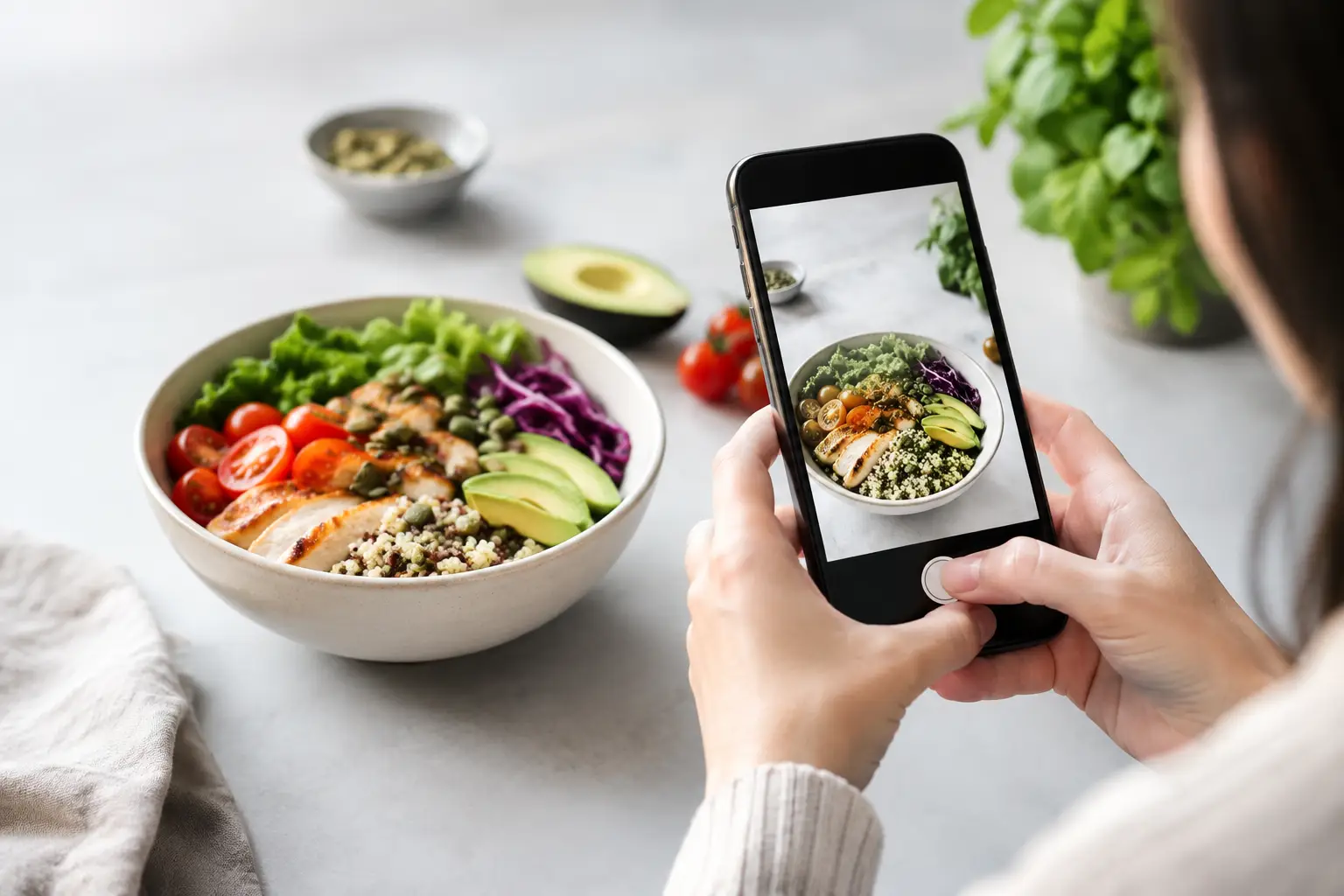
A menu says “grilled chicken bowl,” but the photo shows avocado, pickled onions, a creamy green sauce, and a generous scoop of rice. That image answers questions the description skipped. But can photos reveal hidden ingredients well enough to make a confident order? Sometimes – and that “sometimes” matters.
Food photos are powerful because they make the real-world details of a dish easier to spot before you spend money. They can reveal what is visible, help you compare portion sizes, and reduce the guesswork that turns an exciting meal into a disappointing one. They are not, however, a substitute for ingredient lists, allergen information, or a conversation with restaurant staff.
What Food Photos Can Reveal
A clear, accurate meal photo can tell you much more than a short menu label. You may be able to see whether a salad is topped with cheese, whether a sandwich comes with a rich-looking spread, or whether a bowl is mostly greens, grains, or protein. Those details affect flavor, fullness, value, and whether the dish fits the way you want to eat.
Photos are especially useful when menu language is broad. “House sauce,” “seasonal vegetables,” “loaded,” and “chef’s choice” can mean almost anything. A picture can show a visible drizzle, crispy topping, side of fries, sour cream, nuts, sesame seeds, or garnish that never made it into the written description.
This matters for more than curiosity. Many diners are trying to avoid a meal that is too spicy, too creamy, too sweet, or simply not what they pictured. Others manage dietary preferences such as vegetarian eating, lower-carb choices, or avoiding ingredients they dislike. Seeing the dish creates a more informed starting point.
It can also make ordering easier for people who experience decision fatigue. Rather than translating a long list of ingredients into a mental image, you can quickly narrow down the options that look appealing and move forward with more confidence.
Can Photos Reveal Hidden Ingredients? Only the Visible Ones
A photo is evidence, not a full ingredient statement. It can reveal ingredients on the surface, but it cannot reliably show what is blended into a sauce, mixed into a marinade, baked into dough, or used during preparation.
Take a burger photo. You might clearly see the bun, lettuce, cheese, tomato, onion, and bacon. Yet you cannot tell from the image whether the patty contains breadcrumbs, whether the bun was brushed with butter, or whether the sauce includes mayonnaise, mustard, dairy, eggs, soy, fish, or added sugar. The same problem applies to soups, curries, casseroles, smoothies, fried foods, and dressings.
Even obvious-looking foods can be misleading. A dish that appears dairy-free may be finished with butter. A vegetable side may be cooked in bacon fat. A grilled item may be marinated overnight. A photo might show a simple bowl of pasta while leaving out the cream, wine, stock, cheese, or flour used in the sauce.
Photos also cannot confirm how food was handled. They do not show shared fryers, shared grills, prep surfaces, utensils, or cross-contact risks in a busy kitchen. For anyone with a food allergy, celiac disease, or a medically necessary restriction, that distinction is essential.
Use Images as a Better First Step, Not the Final Answer
The best way to use a food photo is to let it guide smarter questions. Start by looking for visible clues: toppings, sauces, breading, cheese, garnishes, sides, and portion size. Then check the menu description and ask about anything that is unclear or important to you.
For example, if you see a bright orange sauce on tacos, ask what it is made from and whether it contains dairy. If a photo shows a grain bowl with a creamy dressing, ask whether the dressing comes on the side and whether it can be swapped. If the menu calls something “veggie,” but the image looks glossy and rich, ask how the vegetables are cooked.
A few direct questions can make a big difference: What is in the sauce? Is this cooked with butter? Does the breading contain wheat? Can you leave off the topping? Is there a shared fryer? Restaurant teams may not always have every answer immediately, but a specific question is easier to answer than “What’s in this?”
If an allergy is involved, say so plainly. Let the restaurant know it is an allergy or medical need, not just a preference. Ask whether the kitchen can safely accommodate it, and be prepared to choose another item if the answer is uncertain. A photo can help you spot questions worth asking, but safety should never depend on what you can or cannot see in an image.
Why Accurate Photos Still Improve Menu Transparency
The limits of photos do not make them less valuable. They make accuracy more valuable.
An authentic photo gives diners a more honest expectation of the meal. It can show that a sandwich is compact rather than towering, that a “spicy” dish has visible chiles, or that a salad arrives with toppings already mixed in. That clarity helps people choose food they are more likely to enjoy, which can mean fewer regretted orders and less wasted money.
It also challenges the old idea that menu access is just about reading words. Not everyone processes a text-heavy menu in the same way. Some diners benefit from visual context because it reduces cognitive load. People with visual impairments may use image descriptions, screen-reader support, and trusted companion input alongside menu details. For them, photos should be paired with meaningful text descriptions, not treated as a replacement for accessible information.
That is the bigger opportunity: visual menus should make dining more inclusive without pretending they answer every question. A useful food image works alongside a clear dish name, an accurate description, allergen guidance when available, and responsive staff.
What Makes a Food Photo Trustworthy?
Not every image deserves the same level of trust. A heavily styled promotional shot may be beautiful, but it may not match the meal that arrives at your table. Real diner photos can be more useful because they show actual portions, plating, toppings, and takeout packaging under everyday conditions.
Freshness matters, too. Restaurants change recipes, suppliers, portion sizes, and seasonal garnishes. A photo from two years ago might be a helpful clue, but it should not be treated as a guarantee. Look for recent images when possible, and compare several photos if a dish is popular enough to have them.
Context makes a photo stronger. A useful image is clear enough to identify the main components, ideally shows the whole plate, and does not hide the food behind dramatic lighting or a stack of filters. Community-powered photo libraries can add another layer of transparency by showing a dish as diners actually receive it. At Pic-ture That!™, that kind of shared visual knowledge helps people approach the menu with less uncertainty and more agency.
A More Confident Way to Order
Before ordering, use the image to get a practical read on the dish. Does it look like the menu description? Can you see ingredients you want, or ingredients you would rather avoid? Is the sauce mixed in, drizzled on top, or served separately? Does the portion look right for your appetite and budget?
Then match your next step to your needs. If you are choosing based on taste or portion expectations, a good photo may be enough to help you decide. If you need to avoid an ingredient for health, faith, or a serious sensitivity, verify with the restaurant. If the answer is vague, choosing a simpler dish with fewer unknowns can be the more comfortable call.
Food photos do not need to reveal everything to be useful. When they show the meal honestly and prompt the right questions, they give diners something every menu should offer: a clearer path to an order that feels right.
Leave a Reply