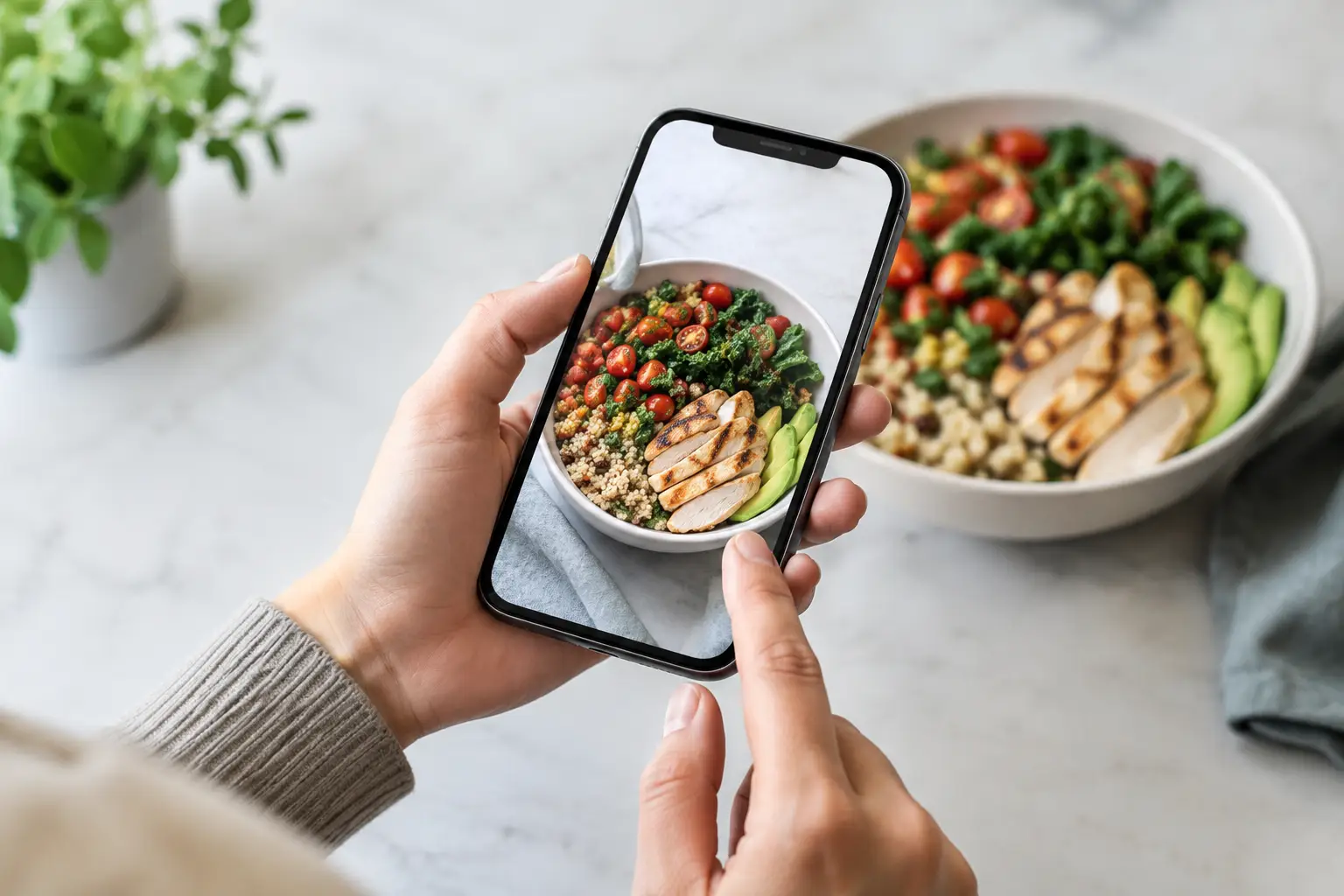
A menu says “crispy chicken sandwich.” That could mean a towering, sauce-heavy meal with seasoned fries, or a small bun with a thin cutlet and a pickle. The difference matters when you are spending your money, managing dietary needs, or simply trying to avoid another disappointing order. So, are user uploaded meal photos reliable? Often, yes – but only when they are treated as real-world evidence, not a perfect promise.
A customer photo can show something a polished restaurant menu image cannot: what the dish looked like when it actually arrived. It can reveal portion size, sides, toppings, packaging, presentation, and whether a menu description leaves too much to the imagination. Still, one image is one moment. The most useful photo libraries make room for context, freshness, and multiple perspectives.
Why user uploaded meal photos can be more useful than menu images
Restaurant photography is designed to make food look its best. There is nothing wrong with that. A professional image can help a restaurant communicate its brand and highlight a signature dish. But it may not show the exact portion, serving vessel, side options, or preparation a diner receives on a typical Tuesday night.
User-uploaded photos offer a different kind of value: lived experience. They are usually taken at the table, in the car, or right after delivery. That means they can answer practical questions that menu copy often misses. Is the salad actually large enough to be a meal? Does the burrito come tightly wrapped or open in a bowl? How much frosting is on the cake? Is the “spicy” ramen visibly loaded with chili oil?
For diners with decision fatigue, that visual proof can turn an exhausting choice into a manageable one. Instead of decoding five vague descriptions, you can quickly see which dish feels right. For people with visual impairments, reliable imagery paired with clear descriptions can also create a more informed and inclusive ordering experience than text-only menus provide.
The key is not asking whether every photo is flawless. It is asking whether the collection gives you enough honest information to make a better choice.
Are user uploaded meal photos reliable for every order?
Not automatically. Reliability depends on what the photo shows, when it was taken, and whether it matches the menu item you are considering. A clear photo uploaded last week is generally more helpful than a dark, heavily filtered image from four years ago. Three photos of the same dish from different diners are stronger evidence than one photo alone.
Restaurants also change. Portions can shift, seasonal ingredients come and go, suppliers vary, and a kitchen may update a recipe without changing the menu name. Delivery orders can look different from dine-in plates. A burger photographed at lunch may not reflect the late-night version prepared during a busy rush.
That does not make community photos untrustworthy. It means diners should use them with the same common sense they bring to reviews. Look for patterns rather than expecting a single image to guarantee an identical plate.
What makes a meal photo trustworthy
The most credible meal photos are specific, recent, and easy to connect to a real menu item. They show the food clearly enough to understand scale and ingredients, without extreme editing that changes color or texture. A useful photo does not need studio lighting. In fact, ordinary lighting can make it more realistic.
Context helps, too. A photo is more valuable when it is accurately labeled with the restaurant, dish name, and relevant variation, such as “chicken instead of steak” or “no onions.” If a plate includes optional sides or an added topping, that distinction should be visible in the caption or item details whenever possible.
Multiple contributions build confidence. When several diners upload photos of the same tacos, bowl, or dessert, you start to see what stays consistent and what varies. That is a better picture of the dining experience than a single carefully styled shot.
What can make a photo misleading
A photo may be genuine and still be a poor guide. Low light can make food look darker or less appetizing than it was. A close-up can exaggerate portion size. A photo of a customized order may not match the standard dish. Filters can turn a pale sauce orange or make greens look brighter than they were.
Timing matters as well. A plate photographed after several bites, a melted milkshake after a long drive, or fries taken out of a delivery bag after 30 minutes does not represent the restaurant’s intended presentation. It still tells part of the story, especially for delivery, but it should not be mistaken for the full story.
The goal is transparency, not perfection. Good platforms should allow diners to see authentic food while making room for the realities of cooking, travel time, substitutions, and personal customization.
How to use meal photos without getting fooled
Start by matching the photo to the exact item name. Restaurant menus often have nearly identical options, and one word can change the meal completely. “Chicken Alfredo” and “Blackened Chicken Alfredo” may look different because of seasoning, sauce, or added vegetables.
Then check whether the photo reflects your ordering situation. If you plan to get delivery, delivery photos may be more relevant than a beautiful dine-in presentation. If you are choosing a lunch special, look for images that show the lunch portion rather than the dinner entrée.
Pay attention to repeated details. Do several photos show a generous amount of protein? Is the sauce always served on the side? Does the menu’s “large” bowl look modest in every image? Repetition is often more useful than a star rating because it shows what diners are actually receiving.
Finally, use photos alongside the menu description, ingredient information, and your own needs. If you have a food allergy, a photo cannot confirm safe preparation. If you need to know whether an item is vegan, gluten-free, or free from cross-contact, ask the restaurant directly. Images support better decisions, but they should not replace safety information.
Better photo communities create better choices
The quality of user-uploaded food photography is not just about individual contributors. It also depends on how the platform handles accuracy. Clear upload prompts, dish-name matching, recent-photo signals, reporting options, and community feedback can all help make a library more useful over time.
A strong photo community also values coverage. It is easy to find images of a restaurant’s most popular burger or brunch dish. The harder and more valuable work is adding photos for the vegetarian entrée, kids’ meal, side dish, breakfast plate, or lesser-known regional specialty that someone else may be trying to understand.
That is where community participation becomes an accessibility and fairness issue. Everyone deserves a clearer sense of what they are ordering, not only diners choosing the most photogenic menu items. When more people contribute accurate images, more people can make choices with confidence.
Pic-ture That!™ is built around that idea: real meal photos should help diners see before they spend. Community contributors do more than share a food moment. They help replace guesswork with visual information that can make ordering feel easier, more independent, and more inclusive.
A practical standard for trusting food photos
You do not need a perfect image to make a confident choice. Look for a photo that is clearly tied to the right dish, appears recent, shows a realistic serving, and is supported by other images when available. Be more cautious when an image is old, overly edited, unlabeled, or obviously customized.
Most of all, let photos answer the questions words cannot. What does this meal really look like? Is it the kind of portion, texture, and presentation I want? Will it work for the way I plan to eat it?
A clearer menu gives diners more than something nice to look at. It gives them a fairer chance to choose well – and every accurate photo makes that chance a little stronger.
Leave a Reply