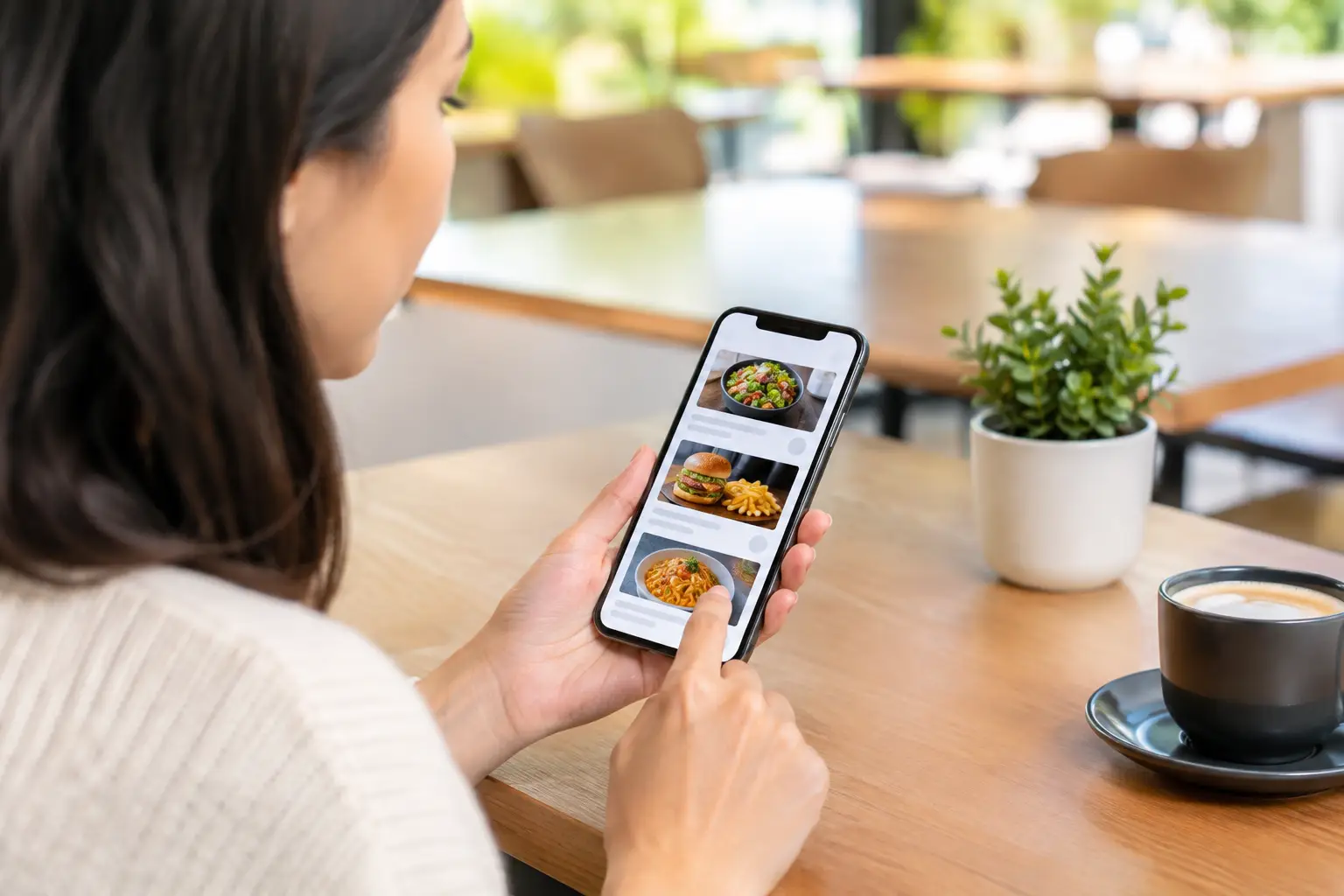
A menu can tell you a dish has grilled chicken, spicy sauce, and seasonal vegetables. It still cannot tell you whether the portion feels worth the price, how the sauce is served, or whether the meal looks like something you will actually enjoy. That gap is why a beta test restaurant app can matter far beyond finding a new place to eat. It can help make restaurant ordering clearer, more accessible, and less stressful.
Pic-ture That!™ is building a community-powered way to see real restaurant meals before ordering. During beta, every photo, piece of feedback, and honest reaction helps shape a better experience for diners who are tired of guessing from text alone.
Why restaurant menus need more than descriptions
Text-based menus ask diners to imagine the food. Sometimes that is easy. Often, it is not. A description like “house-style pasta” may sound appealing, but it leaves plenty of unanswered questions: Is it a small bowl or a generous plate? Is the sauce creamy, chunky, or light? Does the dish look fresh and satisfying?
For many people, uncertainty is more than a minor inconvenience. It can lead to disappointing orders, wasted money, food that goes uneaten, and the familiar pressure of holding up a line while trying to make the right choice. People with decision fatigue may find a long menu exhausting. Diners with visual impairments may encounter menus and ordering flows that do not provide enough useful information to make an independent choice.
A real dish photo cannot answer every question. It does not replace ingredient details, allergen information, or direct conversations with restaurant staff. But it adds a valuable layer of context. Seeing the meal gives diners a more complete picture before they spend their money.
What a beta test restaurant app is really testing
Beta is not just an early-access label. It is the stage where real people use a product in real situations: choosing lunch between meetings, ordering dinner for the family, trying a restaurant in a new neighborhood, or deciding whether a menu item feels like a safe bet.
For a visual dining app, beta testing helps answer practical questions. Are photos easy to find when a diner needs them? Do they represent dishes accurately? Are categories and search features clear? Does the app work well with accessibility tools? Are contributor rewards understandable and worthwhile?
Just as important, beta reveals what the team cannot predict from a planning session. Maybe users want to compare multiple photos of the same dish because presentation varies. Maybe they need clear labels that distinguish a side portion from a full entrée. Maybe a photo looks beautiful but is not useful because it is too dark, too far away, or heavily filtered.
That feedback is not a side task. It is how a restaurant photo platform becomes genuinely helpful.
Real photos build more useful menu coverage
Restaurant marketing images can be polished, but diners also need authenticity. A community photo of the meal that arrived at the table can show portion size, toppings, sides, and presentation in a way that supports a more grounded decision.
That does not mean every photo needs studio lighting. It means the image should be clear, relevant, and truthful. A useful contribution lets someone else see what they are considering ordering without turning the meal into an unrealistic advertisement.
Over time, a growing library of real dish photos can make menus feel less like a gamble. It also creates a stronger resource for neighborhoods and restaurants that may not have professional photography for every item.
How to be a great beta tester
The best beta testers do not need special food knowledge or photography equipment. They simply use the app as they normally would and pay attention to moments of confidence and confusion.
When you browse, ask whether you can quickly tell what a dish is and whether the photo answers the question that brought you to the menu. When you upload, focus on the meal itself. Natural light helps, but clarity matters more than perfection. Capture the full dish when possible, avoid extreme filters, and make sure the image matches the menu item you select.
Feedback is especially valuable when it is specific. “The search felt confusing” is a useful start. “I searched for tacos, but I could not tell whether the photos were from this restaurant or nearby places” gives the product team a clear problem to investigate.
Here are four moments worth flagging during beta testing:
- A menu item is hard to locate or has no clear photo.
- A photo does not match the listed dish, portion, or restaurant.
- A screen is difficult to navigate with a screen reader, large text, or other accessibility settings.
- A reward, upload step, or account action is unclear.
Positive feedback matters, too. If a photo helped you avoid an order you would not have liked, say so. If seeing a dish made you feel more comfortable trying something new, that is meaningful evidence that visual menu transparency is working.
Accessibility is part of the product, not an add-on
Food decisions should not depend on who can interpret vague menu language fastest. Accessibility means designing for the reality that people process information differently and have different tools available to them.
For users with visual impairments, useful image descriptions and compatibility with assistive technology can make visual menu discovery more inclusive. For someone experiencing decision fatigue, clear photos can reduce the mental work of translating a long description into a mental image. For a person ordering for dietary preferences, photos may help clarify visible ingredients and serving styles, while still requiring them to check ingredients directly when health or allergy concerns are involved.
There is a trade-off worth naming: photos can be helpful without being a guarantee. Recipes change. Garnishes vary. A restaurant may substitute an ingredient or plate a meal differently during a busy shift. The goal is not to promise that every plate will look identical. The goal is to give diners more information than text alone can provide.
That distinction builds trust. Transparency is not about pretending uncertainty disappears. It is about reducing unnecessary uncertainty so people can choose with greater confidence.
Why community participation makes the app stronger
Every restaurant has more dishes than a single person could photograph. That is why community participation matters. When diners share images from their own meals, coverage can grow across cuisines, neighborhoods, price points, and restaurants of all sizes.
Contributors are not just adding content. They are helping the next person decide what to order. A photo of a breakfast sandwich can save a commuter from a disappointing purchase. An image of a generous rice bowl can help a family plan a shared meal. A clear shot of an unfamiliar dish can make a first-time diner feel ready to try it.
Rewards such as restaurant gift cards recognize that contribution has value. Still, the bigger value is collective: a more honest, useful picture of what restaurants actually serve. The more people participate, the more likely another diner can find the visual detail they need before placing an order.
What to expect during beta
Early versions of an app are meant to improve. Some restaurants may have limited photo coverage. Search results may not always be perfect. Features can change as testers reveal what works and what needs another pass.
That is not a reason to wait for a finished product. It is a reason to participate thoughtfully. Beta testers get a chance to influence the details that will shape the experience later, from how photos are organized to what makes an upload feel quick and worthwhile.
If you regularly order restaurant food, your everyday choices are exactly what can make the platform better. Use it before trying a new entrée. Check it when a menu description feels vague. Add a photo after a meal that deserves to be seen. Your next clear food decision could help someone else make theirs, too.
Leave a Reply