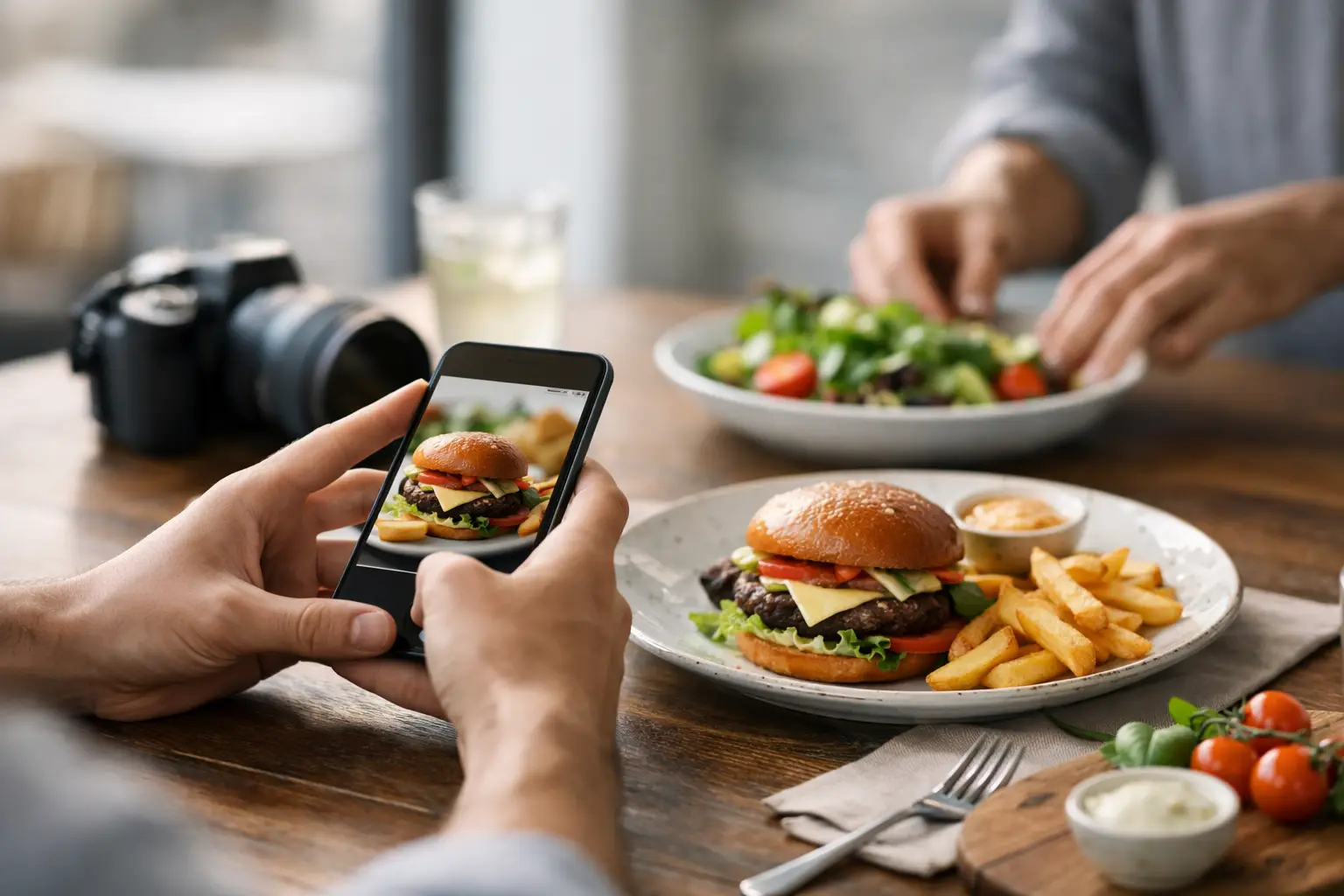
A menu can tell you a dish has grilled chicken, spicy sauce, and seasonal vegetables. It cannot tell you whether the portion looks generous, whether the sauce is actually on the side, or whether the meal resembles what you want to eat. That is why learning how to contribute food photos matters. One clear, honest photo can replace a lot of guesswork for the next person deciding what to order.
At Pic-ture That!™, contributed food photos help build a more transparent way to dine. They can support people who are tired of menu uncertainty, managing decision fatigue, comparing options on a budget, or using visual information to make a more confident choice. The goal is not a perfectly styled restaurant advertisement. The goal is a useful, accurate look at a real dish.
Start With the Exact Dish and Restaurant
The most helpful food photo is connected to the right menu item. Before uploading, confirm the restaurant location and the dish name as it appears on the menu. Small details matter. A restaurant may have several locations with slightly different menus, and “chicken bowl” may not be specific enough when there are multiple versions.
If you customized the order, share that context when the app gives you room to do so. Say whether you asked for no onions, swapped a side, added extra sauce, or ordered a smaller size. Your photo can still be valuable, but diners deserve to know they are looking at a modified version rather than the standard plate.
Accuracy also means contributing a photo from your own order. A real meal, captured as it arrived, is more useful than a promotional image or a heavily edited photo found elsewhere. The community is building visual menu coverage people can trust, one actual dining experience at a time.
How to Contribute Food Photos People Can Use
Take the photo before the meal has been substantially eaten, when the full portion and presentation are easiest to see. You do not need a photo studio or professional camera. A phone photo in decent lighting is enough when it clearly answers the question a diner has: What will I receive if I order this?
Frame the entire dish first. Make sure the main item, sides, toppings, and included sauces are visible when possible. If the dish comes in a container, include enough of the container to give a realistic sense of size. A tight close-up of melted cheese may look delicious, but it does not always help someone understand whether the meal is a sandwich, a bowl, or a small appetizer.
Natural light near a window often works well, but indoor restaurant lighting is completely fine. The priority is visibility. Hold your phone steady, tap the food on screen to focus, and avoid shooting directly into a bright light source that turns the plate into a shadow. If your image is dark, blurry, or washed out, take another shot before you start eating.
Try to photograph the dish from an angle that matches how it appears on the table. A slightly elevated angle works well for bowls, plates, and trays because it shows both the contents and the portion. A side angle can be better for burgers, stacked sandwiches, tall desserts, and layered drinks. It depends on the food. Choose the angle that makes the item easiest to recognize.
Show reality, not perfection
Food can be messy. Fries may shift during delivery. Sauce can pool in one corner of a takeout box. A burrito might arrive wrapped instead of plated. Those details are not failures in your photo. They are useful information.
Avoid filters that change the dish’s color, make the food look unusually smooth, or hide what is actually there. A small crop or brightness adjustment is fine if it improves clarity. Heavy edits work against the reason people rely on community photos in the first place. The most valuable image is one that sets an honest expectation.
If the meal arrived in noticeably poor condition, photograph it clearly but fairly. Do not exaggerate the problem with dramatic angles or edits. A straightforward image gives other diners a better sense of what happened and gives restaurants a more useful signal, too.
Capture the Details That Text Menus Miss
A strong food contribution often reveals details that menu descriptions leave out. Is the pasta covered in cream sauce or lightly dressed? Does the salad include a full serving of protein? Are the tacos served with rice and beans? Is the “large” drink actually large? These are the details that help people spend their money with fewer surprises.
Portion context is especially helpful. You do not need to add a ruler or turn every photo into a comparison test. Simply showing the full plate, bowl, basket, or takeout container gives diners a practical visual reference. If a meal is clearly shareable, snack-sized, or more filling than expected, that context can make a real difference.
Photos can also make dining more accessible. For someone with a visual impairment, a clear image paired with accurate dish information can add context beyond a short text description. For someone experiencing decision fatigue, seeing the actual choices can make selecting a meal feel less overwhelming. Your contribution may help a person move from “I have no idea what to get” to “That looks right for me.”
Keep People Out of the Frame
Focus on the food, not the people around it. Before uploading, check for faces, name tags, payment receipts, license plates, or personal information in the background. If a friend’s hand happens to be near the plate, make sure they are comfortable appearing in the image, or crop the photo to keep the attention on the dish.
This is also a good reason to take a quick look at the background. A crowded table is normal, but too much visual clutter can make it hard to tell what the featured item is. Move a napkin, receipt, or unused condiment packet if needed, then take the picture. A few seconds of setup can make your photo far more useful.
Upload Soon While the Details Are Fresh
The best time to contribute is when you still remember what you ordered and how it arrived. Uploading soon helps you match the exact item, note any customizations, and avoid mixing it up with another meal from the same order.
Before you submit, do one quick quality check. Is the dish recognizable? Is the image in focus? Does it show a real representation of the meal? Did you select the correct restaurant and menu item? If the answer is yes, your photo is ready to help.
You do not need to wait until every image feels flawless. Community-powered food discovery grows because people share useful moments consistently. As eligible contribution programs become available, those contributions can also lead to rewards such as restaurant gift cards. More importantly, they help create a menu experience where diners can see before they spend.
A Better Photo Helps Someone Choose With Confidence
There is a difference between posting food because it looks good and contributing food photos because they are useful. Both can be fun, but a helpful contribution puts the next diner first. It shows the real dish, preserves the right context, and leaves room for people to make their own choice.
The next time your order reaches the table or arrives at your door, pause for one clear photo before the first bite. It could be the image that helps someone else skip the disappointment, reduce the stress of choosing, and order a meal they are genuinely excited to eat.
Leave a Reply