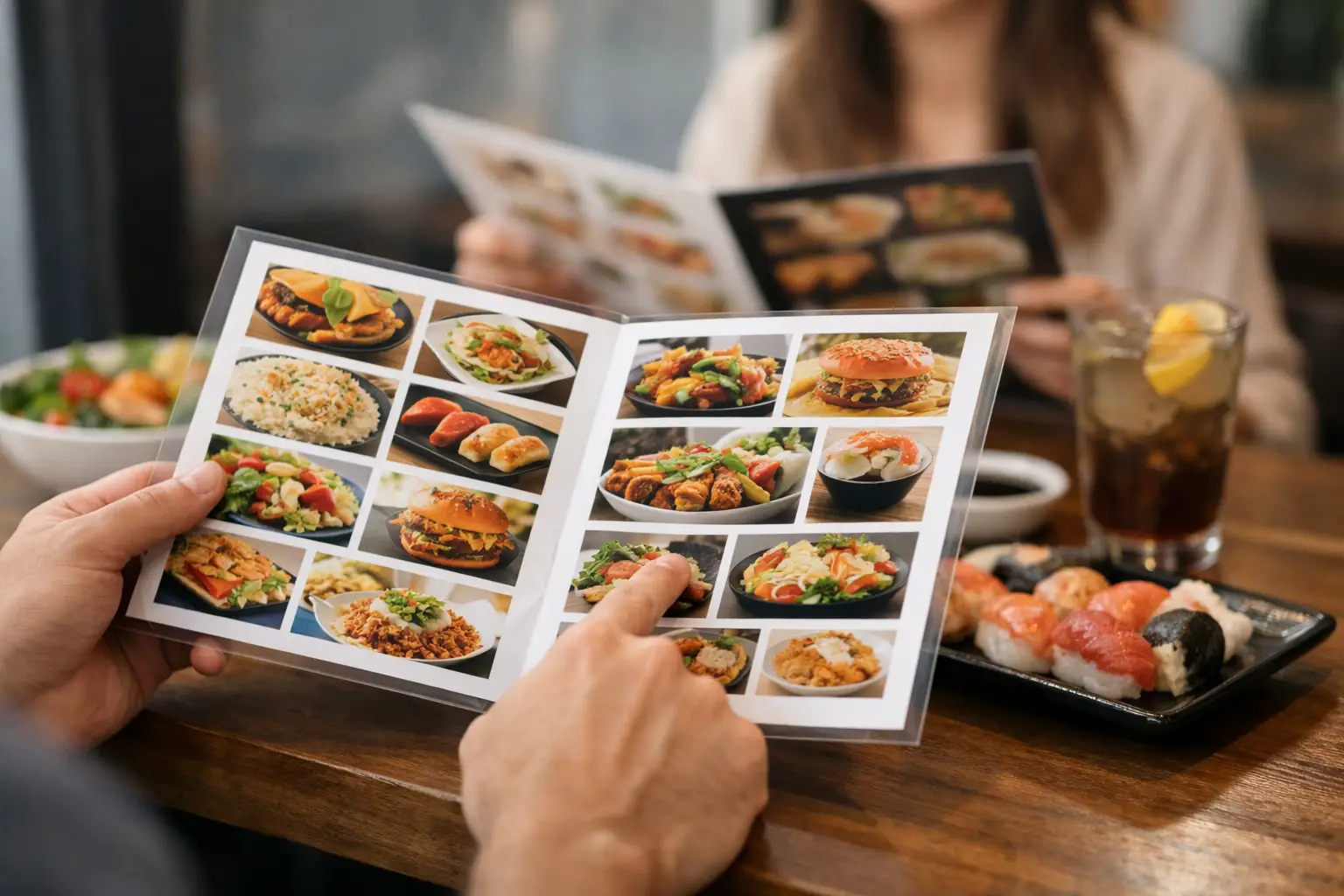
A menu says “crispy chicken sandwich.” A photo can show whether that means a thin cutlet on a towering brioche bun, a pile of slaw, and a sauce you did not expect. That difference matters when your money, appetite, allergies, sensory preferences, and time are on the line. Learning how to read visual menus helps you move from guessing at dinner to choosing it with confidence.
Visual menus are not just text menus with pretty pictures. At their best, they are a practical source of information: portion clues, ingredients, preparation style, toppings, sides, and the overall feel of a dish. But photos can also be misleading if you do not know what to look for. Here is how to use them wisely.
Start with the photo, then check the description
A good food image gives you a fast first impression. Look at the main ingredient first. Is the salmon grilled or breaded? Does the salad actually include the avocado listed on the menu? Is the pasta coated in a light oil-based sauce or covered in a creamy one?
Then read the written description to confirm what you see. The photo and the menu text should work together. A visual can reveal details that text leaves out, while text can clarify things a photo cannot reliably prove, such as whether a dressing contains dairy, whether a dish can be modified, or which ingredients are seasonal.
If the two seem to disagree, ask. A photo may be older than the current recipe, or the restaurant may use a standard image for several variations. Treat the image as useful evidence, not a guarantee.
Look for the details that affect your order
The most useful way to read visual menus is to focus on your own decision points. What makes an order work for you might be portion size. For someone else, it could be spice level, texture, or avoiding an ingredient that tends to be hidden under a garnish.
Portion and plate size
Photos are not a perfect measuring tool, but they offer helpful context. Notice how much of the plate the food fills, whether the dish is served in a bowl or on a small plate, and whether sides are included. A sandwich next to fries may look like a full meal, while a similarly priced entrée photographed alone may need a side to feel satisfying.
Watch for camera tricks, too. Close-up shots can make a modest serving look huge. A top-down photo can flatten a tall dish. If you are ordering for a group or trying to stay within a budget, look for multiple customer photos of the same item instead of relying on one polished image.
Texture and preparation
Texture is often where text-only menus fall short. “Roasted vegetables” could mean tender, caramelized bites or firmer pieces with crisp edges. A photo can show whether chicken has a crunchy coating, whether a pizza has a thin or thick crust, or whether a smoothie bowl is topped with granola.
This is especially valuable for diners with sensory sensitivities, dental considerations, or simply strong preferences. If you dislike soggy breading, chunky sauces, wilted greens, or heavily charred foods, visual context can save you from an order that sounds better than it eats.
Toppings, sauces, and hidden extras
Scan the full plate, not just the center of the image. Check under the bun, around the rim of the bowl, and across the top of the dish. You may spot pickled onions, cheese, herbs, a fried egg, sour cream, or a drizzle of sauce that was not obvious in the title.
Photos are particularly helpful when you want a modification. Instead of asking vaguely whether a dish comes with sauce, you can ask whether the sauce shown can be left off or served on the side. That makes the conversation clearer for you and the restaurant.
Compare more than one image when you can
One restaurant photo may be beautifully lit, carefully plated, and taken on the best possible day. Real customer photos tell a different part of the story: what the dish looks like at an actual table, in normal lighting, after a delivery trip, or with a common customization.
Neither type is automatically better. Professional photos may show ingredients clearly, while community photos can show consistency and scale. The strongest read comes from comparing both.
Look for patterns. If five photos show a generous amount of shrimp and one shows three pieces, the one sparse plate may be an exception. If every recent photo shows the same tiny side salad, you have a more realistic expectation. Date matters, too. A photo from three years ago may not reflect a recipe, portion, or presentation used today.
Community-powered platforms such as Pic-ture That!™ are built around this idea: more real meal photos can give diners a clearer picture before they commit to an order.
Use visual menus for accessibility, not just inspiration
For many people, an image makes a menu easier to understand. For others, a photo alone is not accessible enough. A truly useful visual menu offers more than an image. It should pair images with clear labels, readable text, meaningful descriptions, and controls that work with screen readers and zoom tools.
If you have low vision, start by increasing text size and zooming into images rather than relying on small thumbnails. Use any available image descriptions, and do not hesitate to ask staff for a verbal description of the dish’s size, arrangement, color, and major ingredients. “What does it look like?” is a fair and useful question.
If you use a screen reader, the quality of the image description matters. “Food on a plate” does not help much. A useful description might say, “Two grilled fish tacos in corn tortillas, topped with shredded cabbage, pico de gallo, and crema, served with black beans.” Restaurants and menu platforms have work to do here. Accessibility should not depend on whether a diner feels comfortable asking for extra help.
Separate appetite appeal from decision-ready information
A gorgeous photo can make almost anything look irresistible. That is the point of food photography, but it should not be the only thing guiding your choice. Pause long enough to check the facts that matter to you: price, ingredients, dietary information, spice indicators, and customization options.
This is where visual menus can reduce decision fatigue. Instead of trying to imagine 20 unfamiliar dishes from short descriptions, you can quickly narrow the field to the options that look right. Then you can use the text to make a final call.
There is a trade-off. Visual menus can make choices faster, but too many photos can also feel overwhelming. If you are stuck, give yourself a simple filter: choose your protein or main style, decide whether you want something light or filling, then compare only a few images that fit. You do not need to evaluate every item to make a good decision.
Know what a photo cannot tell you
Images are powerful, but they cannot confirm everything. A photo cannot reliably tell you exact allergens, sodium content, cross-contact risks, current availability, or whether a kitchen can accommodate a substitution. It also cannot tell you how spicy something feels to you personally.
For allergies, medical dietary needs, religious dietary requirements, or severe sensitivities, always confirm directly with the restaurant. Use the visual menu to identify a promising dish, then get the information you need before ordering. That is not overthinking it. It is informed dining.
Help make menus clearer for the next diner
If you take a clear photo of your meal, sharing it can do more than document lunch. It can help another person see what a menu description leaves out. Try to capture the full plate in decent light, include sides when possible, and avoid heavy filters that change the food’s color.
A short note can be just as valuable as the photo. Mention if the portion was large, if a sauce arrived on the side, or if a dish was much spicier than expected. Keep it honest and specific. The goal is not to make every meal look perfect. The goal is to help people order with fewer surprises.
The next time a menu gives you ten tempting names and very little clarity, let the visuals do some of the work. Look closely, compare thoughtfully, confirm what matters, and choose the meal that feels right for you.
Leave a Reply